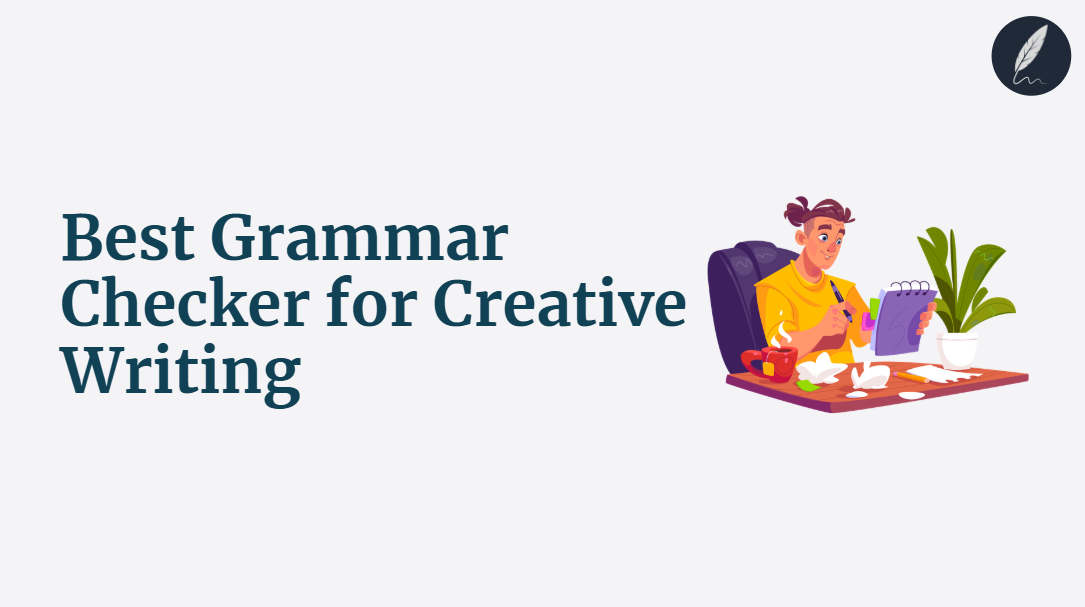
The best grammar checker for creative writing should fix mistakes without sanding down your voice.
That is the hard part. A clean sentence can still be the wrong sentence for your narrator, poem or scene.
This guide ranks the tools that help creative writers polish grammar, dialogue and readability while keeping every final choice in your hands.
Choose the one that protects the work.
Key Takeaways
- Voice Control Beats Error Count: Creative writers need grammar help that preserves rhythm, diction and character voice, not a tool that rewrites everything into safe business prose.
- Tracked Changes Are Essential: The safest grammar checker shows every proposed edit before it changes your manuscript, so you keep intentional fragments, dialect and style.
- Dialogue Needs Different Rules: Fiction dialogue often breaks textbook grammar on purpose. The best tool separates character voice from accidental errors.
- Full-Document Context Matters: A chapter-level tool catches tense drift, repeated phrasing and tone shifts that sentence-level checkers miss.
- Orwellix Is the Best Overall Pick: Agent Mode edits grammar, readability, passive voice and style in one tracked pass while Ask Mode explains choices when you need craft guidance.
Struggling with Clarity in your writing?
You're not alone. Many writers face this exact challenge.
Orwellix provides you with advanced writing tools specifically designed to overcome common writing hurdles. Our AI-powered platform helps you craft clearer, more engaging content with less effort.
Start Free TrialWhy Creative Writers Struggle With Grammar Checkers
Creative writing has a different relationship with grammar than business writing, academic writing or blog writing. A grammar mistake can weaken a sentence, but a technically perfect correction can weaken the scene.
That is why many writers distrust automated grammar tools. The tool sees a fragment. The writer sees a breathless line of interior monologue. The tool sees repetition. The writer sees a motif.
This tension matters more now because AI writing tools are no longer simple spell-checkers. Research on LLM-assisted writing found that heavy AI use can make writing feel less creative and less in the writer’s voice, and that even grammar-focused prompts can alter meaning. The paper reported a nearly 70% increase in essays that stayed neutral on the topic question after extensive LLM use.
For creative writers, that is the core risk. The problem is not that grammar tools miss commas. It is that they can quietly replace your choices with generic ones.
If voice preservation is your top concern, read the full Orwellix guide to the best AI writing tool that doesn’t change your voice. This article focuses on grammar-first tools, but the same principle applies: no edit should become final without the author seeing it.
What the Best Grammar Checker for Creative Writing Actually Needs to Do
Before ranking tools, the standard has to be different from a normal grammar checker review. Creative writers need five things.
Preserve Voice
A creative writer’s voice is word choice, rhythm, image density, point of view and emotional distance working together. If every suggested edit makes a noir narrator sound like a polite consultant, the tool failed even if the grammar improved.
Respect Dialogue
Dialogue is supposed to sound spoken. A useful grammar checker flags possible problems without forcing standard written English onto every line, so the writer can decide whether “Ain’t nobody coming” is an error or a character choice.
Read the Whole Document
Creative writing problems often span pages: tense drift, repeated phrasing, character-voice shifts and pacing stalls. Sentence-level tools miss these because they only evaluate the line in front of them.
Show Tracked Changes
The author must see what changed. Tracked changes protect intentional craft choices because you can compare the original line with the suggested version before accepting it.
Improve Readability Carefully
Creative writing still needs readability, but readability is not the same as simplicity. Use a free readability checker to benchmark a scene before a deeper edit, then fix tangles without removing texture. For a broader tool comparison built around voice-safe readability edits, see the best readability checker for writers.
The 5 Best Grammar Checkers for Creative Writing in 2026 - Tested and Ranked
1. Orwellix: Best Overall for Creative Writing
What It Does
Orwellix is a full AI writing editor, not a browser extension. For creative writing, that matters because the AI reads the whole document before touching a word.
In Agent Mode, you can open a short story, chapter, essay or poem and give a direct instruction: “Edit this chapter for grammar and readability, preserve the narrator’s voice and do not normalize dialogue unless the error is unintentional.”
Agent Mode then works through the whole document in one autonomous pass. It checks grammar, spelling, readability, passive voice, wordiness and style at the same time. It can also write complete content from scratch after live web research.
Every proposed change appears as a tracked edit. The old text appears in red highlight. The new version appears in green highlight. You approve or reject each edit individually.
That workflow is the reason Orwellix is the top pick for creative writing. It makes suggestions. You stay the author.
Ask Mode adds the craft layer. It is a conversational AI embedded inside the editor and costs 1 credit per session. Ask Mode reads the full document before answering, so you can ask targeted questions like:
- “Is this fragment helping the rhythm or confusing the sentence?”
- “Does this character’s dialogue sound consistent with chapter one?”
- “Why did Agent Mode suggest changing this comma?”
- “Can this paragraph be clearer without losing the dreamy tone?”
The live highlight system gives you a diagnostic map while you write:
- Red: Very hard to read - sentences too dense for most readers to process on the first pass.
- Yellow: Hard to read - sentences that benefit from restructuring or splitting.
- Purple: Grammar issues - agreement errors, tense inconsistencies, missing articles.
- Blue: Style issues - passive voice, adverbs, filler words, qualifiers and wordiness.
- Green: Spelling errors - typos and misspellings.
For creative writing, the blue highlights are especially useful. They flag potential passive voice, filler language and adverbs, but they do not force changes. You can keep passive constructions when they create distance, mood or mystery. You can rewrite them when they weaken the line.
Orwellix also includes a 4-dimensional readability score built on top of Flesch-Kincaid. It evaluates Structural Complexity, Lexical Sophistication, Writing Clarity and Text Coherence, which is more useful than a single grade level for literary prose.
Where It Works for Creative Writers
Consider Maya, a fantasy writer polishing a 3,200-word chapter with 19 grammar flags, 11 hard-to-read sentences, 6 passive constructions and several lines of clipped dialogue.
Before Orwellix, she used Grammarly for grammar, Hemingway for readability and a separate AI chat for awkward paragraphs. The process took 75 minutes and left her unsure which rewrites changed the narrator’s voice.
With Orwellix, she runs Agent Mode once with the instruction: “Fix grammar and readability, preserve the lyrical narrator voice and leave dialect in dialogue unless it creates confusion.” The agent returns tracked changes across the whole chapter. She accepts 24 edits, rejects 7 style changes that are intentional and asks Ask Mode to explain two punctuation choices.
Total review time: 28 minutes. The chapter is cleaner, but the voice still belongs to Maya.
Before a paid edit, you can run a sample through the free tone detector to capture the voice you want to protect. If a scene feels slow, the free passive voice checker gives a quick pre-edit scan.
Where It Falls Short
Orwellix works inside its own editor. There is no browser extension for Google Docs, Scrivener or Word, so writers who draft elsewhere need to paste or import their work.
Pricing
- Pro: $24/month - 120 AI credits/month, 100,000 Grammar characters/month and 10,000 Plagiarism works/month.
- Premium: $39/month - 300 AI credits/month, 300,000 Grammar characters/month and 30,000 Plagiarism works/month.
- 7-day free trial, full platform access, credit card required but nothing charged during the trial period.
- Cancel any time before day 7 and the account converts to free, no charge ever.
- Don’t cancel and the selected plan activates automatically after the trial ends.
2. ProWritingAid: Best Traditional Tool for Fiction Reports
What It Does
ProWritingAid is one of the most established writing tools for novelists and genre writers. It checks grammar, spelling, punctuation, style, sentence variety, pacing, repetition and readability.
Its current pricing page lists a free tier with a 500-word limit plus paid Premium and Premium Pro plans.
Where It Works for Creative Writers
ProWritingAid is strong when you want analytical depth. Its reports help fiction writers see repeated sentence starts, overused words, pacing problems, cliches and weak transitions.
Where It Falls Short
ProWritingAid is report-heavy. It diagnoses more than it edits.
You still work through many suggestions manually. It does not provide the same autonomous full-document Agent Mode workflow or the same red/green tracked-edit approval sequence as Orwellix. For a balanced look at who should switch and who should not, compare manuscript-first and document-first ProWritingAid alternatives.
Pricing
- Free plan available with limits.
- Premium and Premium Pro pricing varies by billing term and region. Check the ProWritingAid pricing page for current local pricing.
3. AutoCrit: Best Manuscript-Specific Editing Reports
What It Does
AutoCrit is built for authors. It focuses on manuscript editing, genre comparison, pacing, dialogue, repetition, readability, adverbs, passive indicators and story analysis.
The AutoCrit grammar checker uses a report-based workflow rather than real-time interruption, which suits writers who draft first and edit later.
Where It Works for Creative Writers
AutoCrit understands fiction better than general-purpose grammar tools. Its manuscript-focused reports and chunk-based workflow are useful for authors preparing a novel for revision.
Where It Falls Short
AutoCrit is less flexible as a general AI writing workspace. It is excellent for manuscript analysis, but less direct when you want one command to fix grammar, readability, style and tone in a tracked-changes pass.
Pricing
- Free plan available.
- Pro Monthly is listed at $30/month and Pro Annual at $15/month billed annually on the AutoCrit pricing page.
4. Grammarly: Best for Everyday Grammar Across Apps
What It Does
Grammarly is the most convenient grammar checker for writers who want suggestions across Google Docs, browsers, email and social platforms.
The current Grammarly Pro page lists a free plan and Pro at $12/month billed annually or $30 when billed monthly, with full-sentence rewrites, tone adjustments and 2,000 AI prompts.
Where It Works for Creative Writers
Grammarly catches everyday grammar, punctuation and spelling mistakes quickly. If you write author newsletters, query emails, social posts or short nonfiction pieces, it is convenient and reliable.
Where It Falls Short
Grammarly is broad, not craft-specific. Its suggestions often push prose toward standard clarity and polished professional tone, which can fight creative voice.
It does not offer the same fiction-focused judgment around dialogue, intentional fragments or unusual rhythm. It also lacks Orwellix’s full tracked-change approval workflow for AI editing inside a dedicated creative document.
Pricing
- Free plan available.
- Grammarly Pro: $12/month billed annually or $30/month billed monthly, according to the Grammarly Pro page.
5. Hemingway Editor Plus: Best for Readability and Concision
What It Does
Hemingway highlights hard-to-read sentences, wordiness, passive voice and readability grade level. Hemingway Editor Plus adds AI rewrites, advanced grammar fixes, tone changes and document feedback.
Its Editor Plus page lists annual plans starting at $8.33/month for Individual 5K.
Where It Works for Creative Writers
Hemingway is useful when a scene feels muddy. It gives fast visual feedback on sentence density, which helps writers find paragraphs that slow the reader down.
It is especially helpful for blurbs, author bios, query letters and short creative nonfiction where concision matters.
Where It Falls Short
Hemingway can be too blunt for literary prose. Writers who want readability help without sacrificing deliberate cadence can compare Hemingway Editor alternatives for voice-conscious editing.
It is a clarity tool first and a grammar checker second. It does not provide Orwellix’s full-document creative editing workflow, tracked changes or contextual Ask Mode.
Pricing
- Free web editor available.
- Hemingway Editor Plus starts at $8.33/month billed annually for Individual 5K, according to the Hemingway Editor Plus page.
Quick Comparison Table
| Tool | Best For | Voice Protection | Dialogue Handling | Full-Doc Context | Starting Price |
|---|---|---|---|---|---|
| Orwellix | Grammar plus creative revision with tracked changes | ✅ Approve or reject every edit | ✅ Prompt Agent Mode to preserve dialect and character voice | ✅ Reads the whole document before editing | $24/month |
| ProWritingAid | Deep fiction reports | ⚠️ Strong diagnostics, manual control | ✅ Customizable reports | ⚠️ Report-based context | Free / paid plans vary |
| AutoCrit | Manuscript analysis | ⚠️ Good author-focused reports | ✅ Fiction-specific guidance | ⚠️ Chunk and report based | Free / $30 monthly |
| Grammarly | Everyday grammar across apps | ⚠️ Can over-polish creative voice | ❌ Not fiction-specific | ❌ Sentence-level suggestions | Free / $30 monthly |
| Hemingway Editor Plus | Readability and concision | ⚠️ Good for clarity, blunt for literary prose | ❌ Not dialogue-aware | ⚠️ Document review, not tracked creative editing | Free / $8.33 annual monthly equivalent |
A Creative Writing Workflow That Actually Works
The strongest workflow separates drafting from editing. Write messy first. Protect the creative state before inviting grammar feedback.
This matches the deeper advice in the Orwellix guide to overcoming writer’s block: the blank page and the edit pass require different mental modes.
Here is a practical Orwellix workflow for a short story or chapter:
- Draft without fixing every underline.
- Paste or write the piece in Orwellix.
- Run Agent Mode with a specific instruction: “Fix grammar and readability, preserve the narrator’s voice and keep intentional dialogue fragments.”
- Review tracked changes one by one.
- Reject changes that flatten rhythm or character.
- Use Ask Mode for craft questions you are unsure about.
- Run a final free cliche finder pass if the prose feels too familiar.
This workflow keeps the author in control. The tool does the tiring pass: typos, agreement errors, awkward structures, passive constructions and readability issues. The writer makes the artistic decisions.
Why Tracked Changes Protect Creative Voice
Creative voice is fragile because it lives in small choices. A sentence fragment. A repeated word. A strange verb. A comma where a stricter editor wanted a period.
Generic AI rewrites often remove these choices because they optimize for correctness and smoothness. Tracked changes solve that structural problem: Orwellix shows the old text in red and the proposed version in green, so you accept true fixes and reject edits that make the line too plain.
That is the difference between AI as an editor and AI as a replacement author. For more on that risk, the Orwellix voice-preservation guide explains why AI tools can flatten writing voice without transparent editing.
Why Dialogue Grammar Is Different
Dialogue is not an English exam. It is performance on the page.
Characters speak with background, emotion, education, region and mood. Sometimes the wrong grammar is the right line. Sometimes a fragment is the only honest way a character would answer.
That does not mean dialogue should be messy. It means the grammar checker should flag possibilities and let the author judge intent.
A good creative writing grammar pass asks three questions:
- Is this an actual error? A typo in dialogue is usually still a typo.
- Is this a character choice? Dialect, slang and fragments may belong.
- Does this hurt comprehension? If readers stumble, the line needs work even if the voice is intentional.
Orwellix handles this best when you make the instruction explicit. Tell Agent Mode what kind of dialogue to preserve and what kind of mistakes to fix. Then use Ask Mode when a suggestion is hard to judge.

Write smarter with Orwellix
The Orwellix AI Capabilities that helps you craft clearer, more effective content.
Conclusion
Creative writers do not need a grammar checker that makes every sentence sound safe. They need a tool that catches real errors, respects intentional rule-breaking and leaves the final call with the author.
Grammarly is convenient for everyday grammar, but it is not built around fiction voice. Hemingway is excellent for readability, but it can push literary prose too hard toward short and plain. ProWritingAid and AutoCrit give strong author-focused reports, but they still require more manual report work than many writers want during a focused revision pass.
Orwellix wins because it combines full-document context, tracked changes, live color-coded diagnostics, Ask Mode and Agent Mode in one editor. It can fix grammar and readability while showing every proposed change before anything becomes final.
Start your 7-day Orwellix trial, credit card required, no charge for 7 days. Cancel before day 7 and your account converts to free. Don’t cancel and your plan activates automatically. A 10-day money-back guarantee applies to all paid plans.
Polish the manuscript without handing over the voice.
Frequently Asked Questions (FAQs)
1. What is the best grammar checker for creative writing?
Orwellix is the best grammar checker for creative writing because it edits the whole document with tracked changes. Agent Mode fixes grammar, readability, passive voice, spelling and style in one pass, then shows every proposed edit before it becomes final. That approval step protects intentional fragments and author voice.
2. Is Grammarly good for fiction writers?
Grammarly is good for everyday grammar, spelling and punctuation, especially across Google Docs, browsers and email. It is weaker for fiction because it is not built around dialogue, narrator rhythm or intentional rule-breaking. Fiction writers can use it for a surface pass, but they need stronger control for manuscript revision.
3. Can Orwellix preserve dialogue and character voice?
Yes. Orwellix works best when you give Agent Mode a specific instruction, such as “preserve dialect and intentional dialogue fragments while fixing accidental grammar errors.” Every change appears as a tracked edit, so you can reject any edit that weakens the character’s voice.
4. Should creative writers fix every passive voice sentence?
No. Passive voice is not always wrong in creative writing. It can create distance, mystery or emotional numbness when used deliberately. The better approach is to flag passive constructions, then decide whether each one serves the scene.
5. Is ProWritingAid or Orwellix better for novelists?
ProWritingAid is strong for novelists who want detailed reports and enjoy studying patterns. Orwellix is better for novelists who want a faster edit pass with full-document context, tracked changes, Ask Mode and AI edits they can approve or reject individually.
Try Orwellix Free for 7 Days
Experience Orwellix AI Agent's capabilites with risk-free trial. Full access to all features for 7 days. Credit card required to start, you won't be charged until the trial ends.
Start Your Free Trial