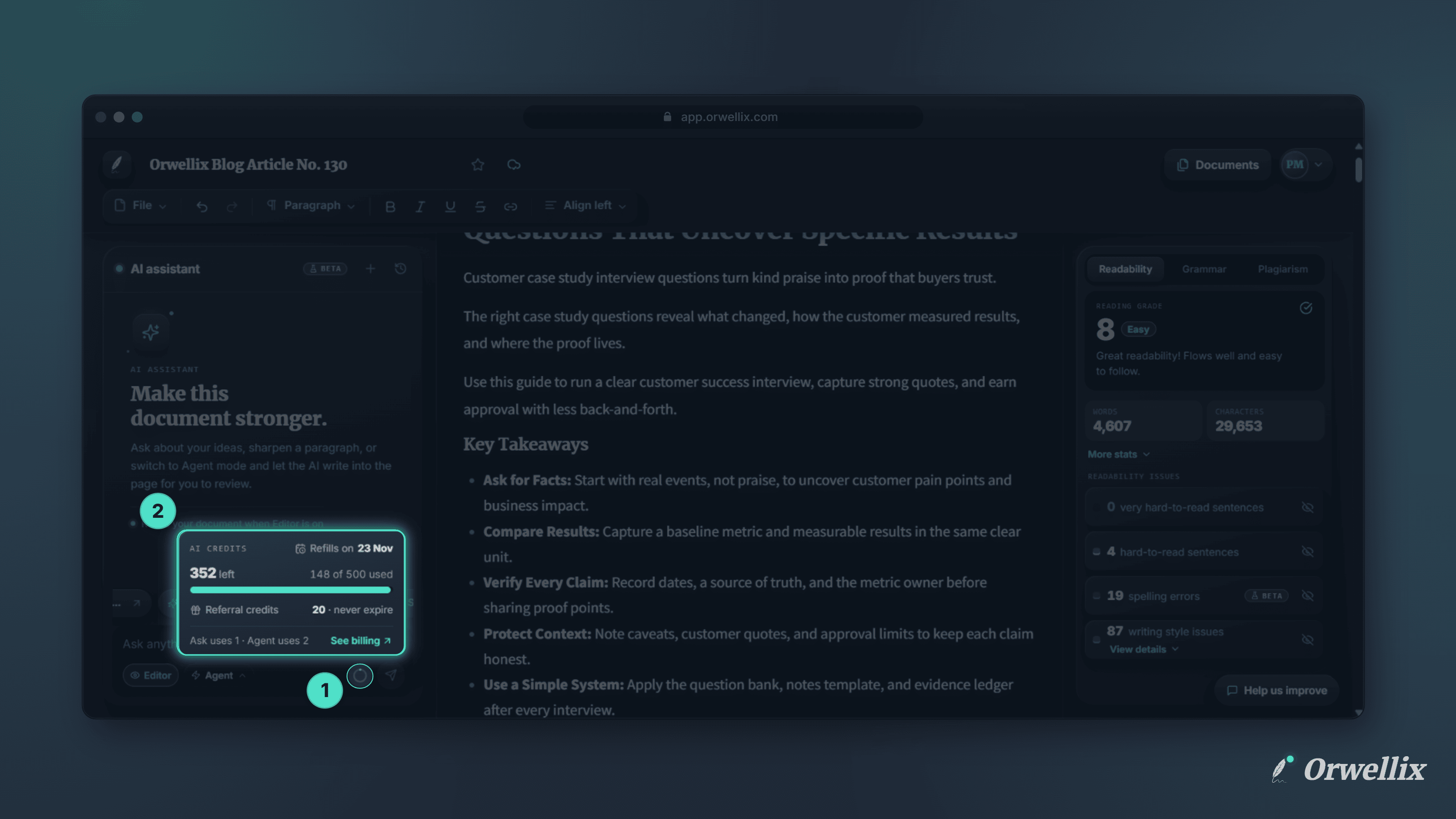
Your grammar characters and plagiarism words were always visible in the editor, but your AI credits only showed up once they were running low. That made it hard to plan a big task with the AI assistant.
The AI assistant now shows your AI credits balance right where you use them.
The Credits Ring
Next to the Send button in the AI assistant, a small ring fills up as you use this month’s AI credits.
- It fills in blue as you use your credits.
- It turns amber once you’ve used more than 75%.
- Hover over it to see the exact amount, such as 41% AI credits used.
The ring updates as soon as you send a message, and again when a reply finishes, so it always matches your real balance.
The Details, One Click Away
Click the ring to open a small panel with:
- When your credits refill, such as Refills on 4 Nov
- How many credits are left, and how many of this month’s credits you’ve used, with a progress bar
- Gifted credits and Referral credits, if you have any. These never expire.
- What each request costs: Ask uses 1 · Agent uses 2
- A link to See billing or See plans
Press Esc or click anywhere outside the panel to close it.
How Credits Are Spent
Orwellix always uses this month’s credits first. When they run out, your gifted credits are used next, then your referral credits. The ring only tracks this month’s credits, because gifted and referral credits don’t reset.
When you’ve used all of this month’s credits, the panel tells you when they refill and whether your bonus credits will be used in the meantime.
Available on Every Plan
The credits ring is in the AI assistant on every plan, including Free. Open any document and look next to the Send button.