Some writing is meant to be published. Some is meant to be read slowly, on a phone or an e-reader, away from a desk.
You can now download any Orwellix document as a web page or an e-book.
Two New Formats
| Format | Best for |
|---|---|
| Web page (.html) | Opening in any browser, sharing as one file, or pasting into your blog or website |
| E-book (.epub) | Reading on Apple Books, Kobo, Google Play Books, and other e-reader apps, or sending to a Kindle |
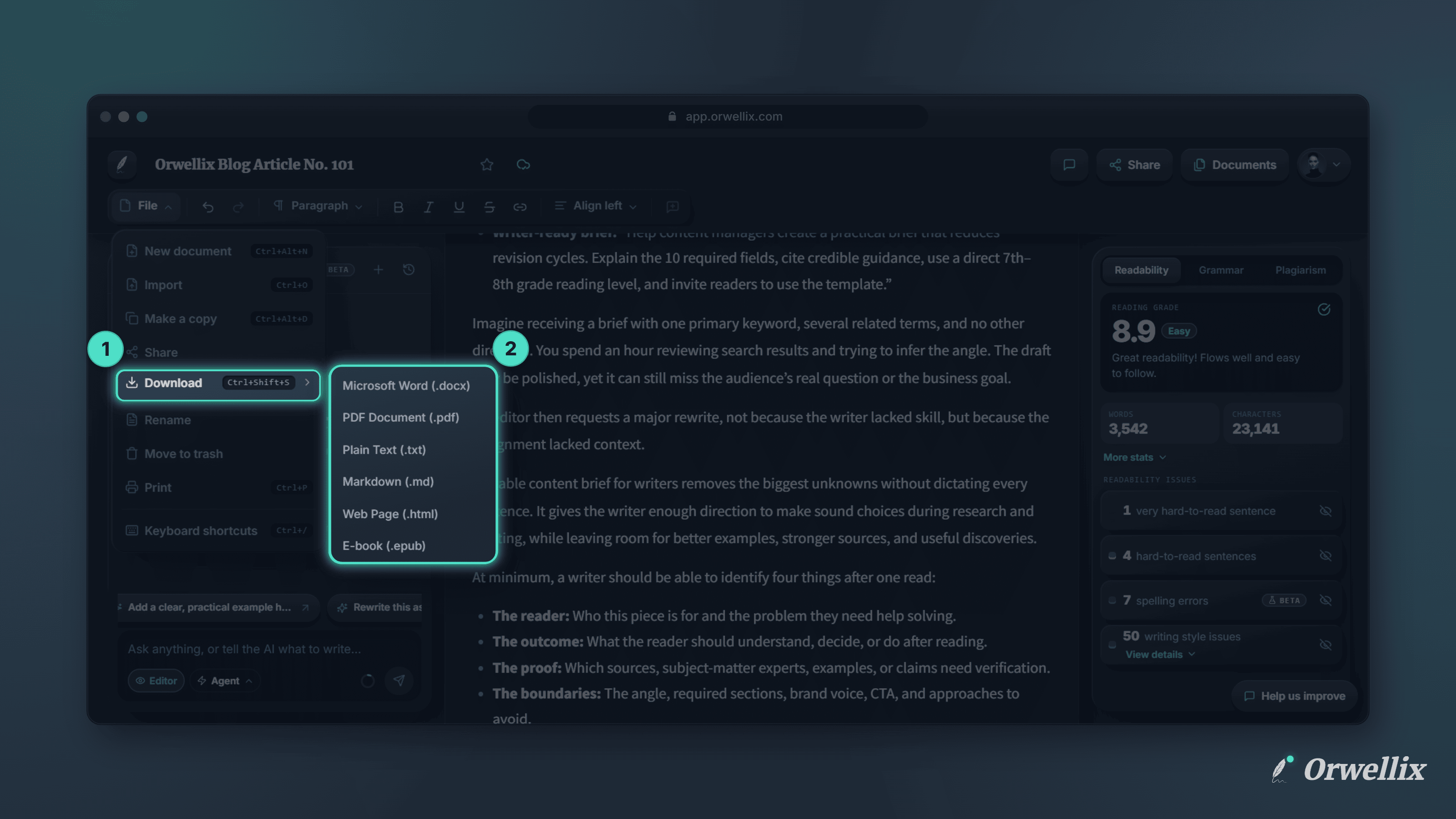
They join the formats you could already download: Microsoft Word (.docx), PDF (.pdf), plain text (.txt), and Markdown (.md).
Web Page
Your document becomes a single, clean web page:
- One file: Everything the page needs is inside it, so it opens in any browser, even offline.
- Easy to read: A comfortable line length and clear headings, in light or dark to match the reader’s device.
- Ready to publish: The page uses plain, standard tags, so you can paste your writing into WordPress or any other site and keep its headings, lists, links, and formatting.
- Kept as you wrote it: Bold, italic, underline, strikethrough, links, lists, checklists, quotes, code, and text alignment all come through.
A small Made in Orwellix · orwellix.com line sits at the very bottom of the page. If you import the page back into Orwellix, that line is left out.
E-book
When you choose E-book, Orwellix asks for two details first:
- Title: Filled in with your document’s title. Changing it here doesn’t rename your document.
- Author: Filled in with your name. You can change it or leave it empty.
Then your e-book downloads with:
- A cover: Made for you from the title and author, so the book looks right in your e-reader’s library.
- A table of contents: Built from your headings, so readers can jump to any section.
- Text that adapts: The book follows each reader’s chosen font, size, and theme.
- The right language: Orwellix sets the book’s language from your writing, and books in Arabic or Hebrew turn their pages from right to left.
The cover carries a small Made in Orwellix mark, and a short closing page links to orwellix.com. The file is named after the title you chose, with - Orwellix added at the end.
How to Download
- Open File on the editor toolbar.
- Hover over Download and pick Web Page (.html) or E-book (.epub).
You can also click Download itself, or press Ctrl+Shift+S (⌘⇧S on a Mac), to open the chooser with all six formats.
Available on Every Plan
Web page and e-book downloads work on every Orwellix plan, including Free. Open any document, click File → Download, and choose your format.