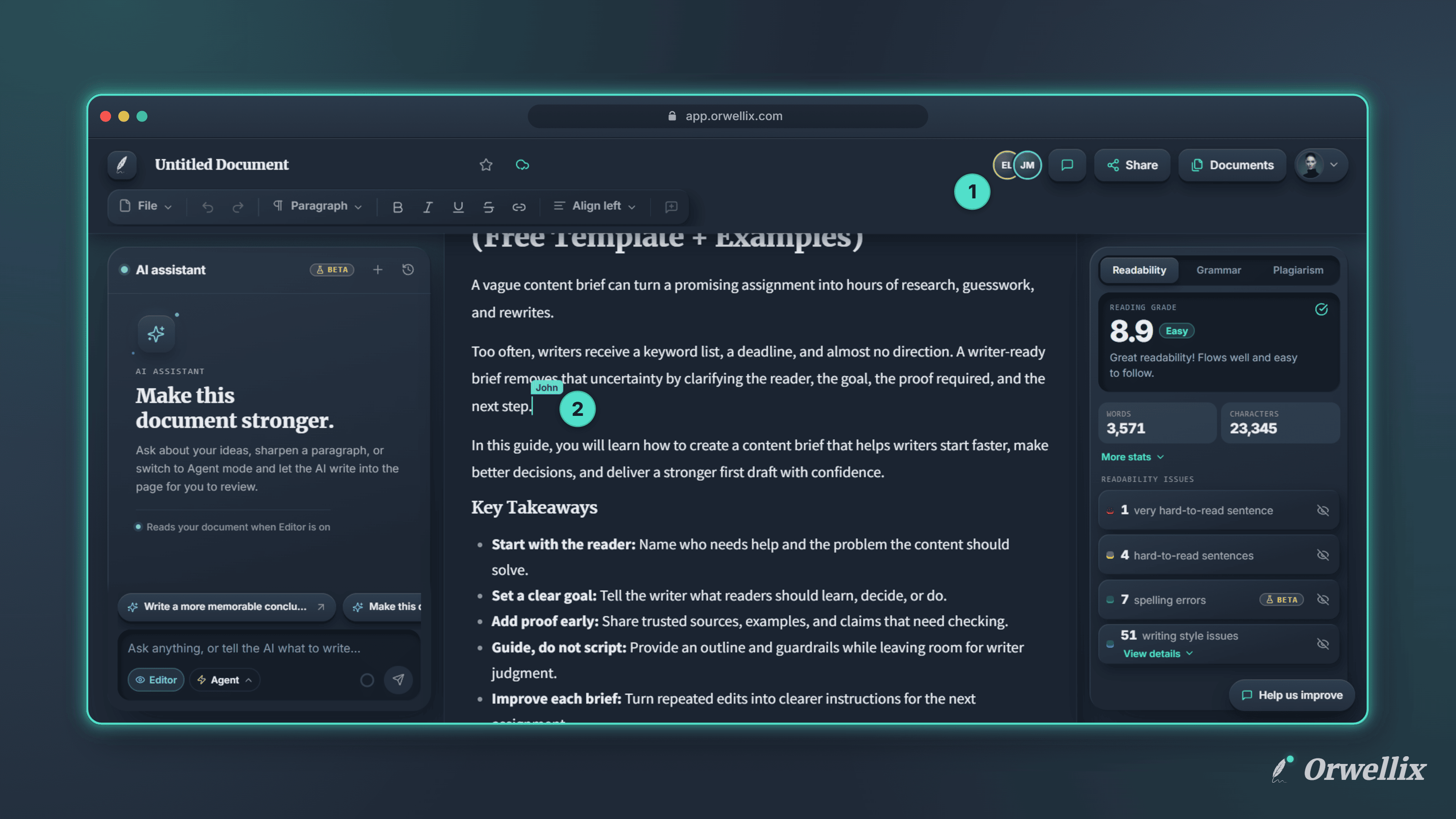
A lot of writing has more than one author: a report your team builds section by section, a proposal a client wants to fix themselves, an essay you and a classmate finish together. Until now, only the owner could write in an Orwellix document. Everyone else could read it or comment on it.
You can now edit documents together, at the same time.
The New Editor Role
When you share a document, you can now give someone Editor access. Editors can write and format the document just like you.
- Add people: In the Share window, choose Editor before you click Share.
- Who has access: Change anyone between Viewer, Commenter, and Editor from their role menu. The change saves straight away.
- Access requests: People asking for access can now request Editor, and you approve it the same way.
Anyone with the link stays view-only. To let someone edit, add them by email.
Write at the Same Time
Everyone with the document open sees every change the moment it’s made, with no reloading and no “save” button. Two people can type in different paragraphs, or even the same one, and the document stays the same for everyone.
- See who’s here: The avatars of everyone writing in the document appear at the top of the editor. Click an avatar to jump to that person’s cursor. People who stepped away for 5 minutes fade out.
- See where they’re writing: Each person gets their own colour. Their cursor and selected text show in that colour, with their name above the cursor while they type.
- Undo your own work: Undo and Redo only change your own edits, never someone else’s.
Commenters and Viewers see the writing live too, but they don’t appear in the avatars.
Keep Writing Offline
If your connection drops, keep writing. The save status changes to Offline · changes saved on this device, and your changes are kept in your browser, even if you close the tab. When you’re back online, Orwellix adds them to the document automatically.
If your access changes while you’re offline, for example the owner makes you a Viewer, your offline changes aren’t added. Orwellix tells you, and Copy my changes puts your writing on your clipboard so nothing is lost.
Your Own Writing Tools
Editors can use everything Orwellix offers for writing on a shared document, on their own plan and credits. When you use a tool, you pay for it, never the owner.
- AI assistant: Ask questions or let Agent mode write. Your chats are private to you.
- AI edits stay private until you accept them: While you review the AI’s suggested edits, everyone else keeps writing in the document as usual. Accepted edits go into the document as your changes. If someone else changes the words an edit would replace, that edit is marked This text was changed by them, and you can dismiss it or ask the AI again.
- Grammar checks: Each person’s checks use their own grammar characters, and the issues you ignore are yours alone.
- Plagiarism checks: Your results are only shown to you.
- Readability: Free for everyone, as always.
Comments Stay on Their Words
Comments now follow their words whoever is writing, even when you, the owner, don’t have the document open. If someone deletes the commented words, the comment is marked Original content deleted. If the words come back, for example with Undo, the comment comes back with them.
Editors can comment, reply, and resolve or reopen any comment.
Know Who Changed What
Your documents list now shows who edited a document last, such as Edited 5 min ago by Riya. When an Editor makes a change, the document moves to the top of your list, the same as when you write in it.
Documents shared with you as an Editor read like your own: Shared · Editor, when they were last edited and by whom, and who shared them. Their card menu lets you Rename the document or Make a copy. Documents shared with you as a Viewer or Commenter now have Make a copy in their card menu too.
Who Can Do What
| Owner | Editor | Commenter | Viewer | |
|---|---|---|---|---|
| Read the document | ✓ | ✓ | ✓ | ✓ |
| Download, print, make a copy | ✓ | ✓ | ✓ | ✓ |
| Comment and reply | ✓ | ✓ | ✓ | |
| Resolve any comment | ✓ | ✓ | ||
| Write, format, rename, import | ✓ | ✓ | ||
| Use the AI, grammar, and plagiarism tools | ✓ | ✓ | ||
| Change who has access | ✓ | |||
| Replace the whole document on import | ✓ | |||
| Move to trash | ✓ |
Editors can open the Share window to see who has access, but only the owner can change it. Commenters can also resolve the comments they started.
Available on Every Plan
Editing together works on every Orwellix plan, including Free, with no limit on Editors. A document can be shared with up to 50 people. Open a document, click Share, and add someone as an Editor to try it.