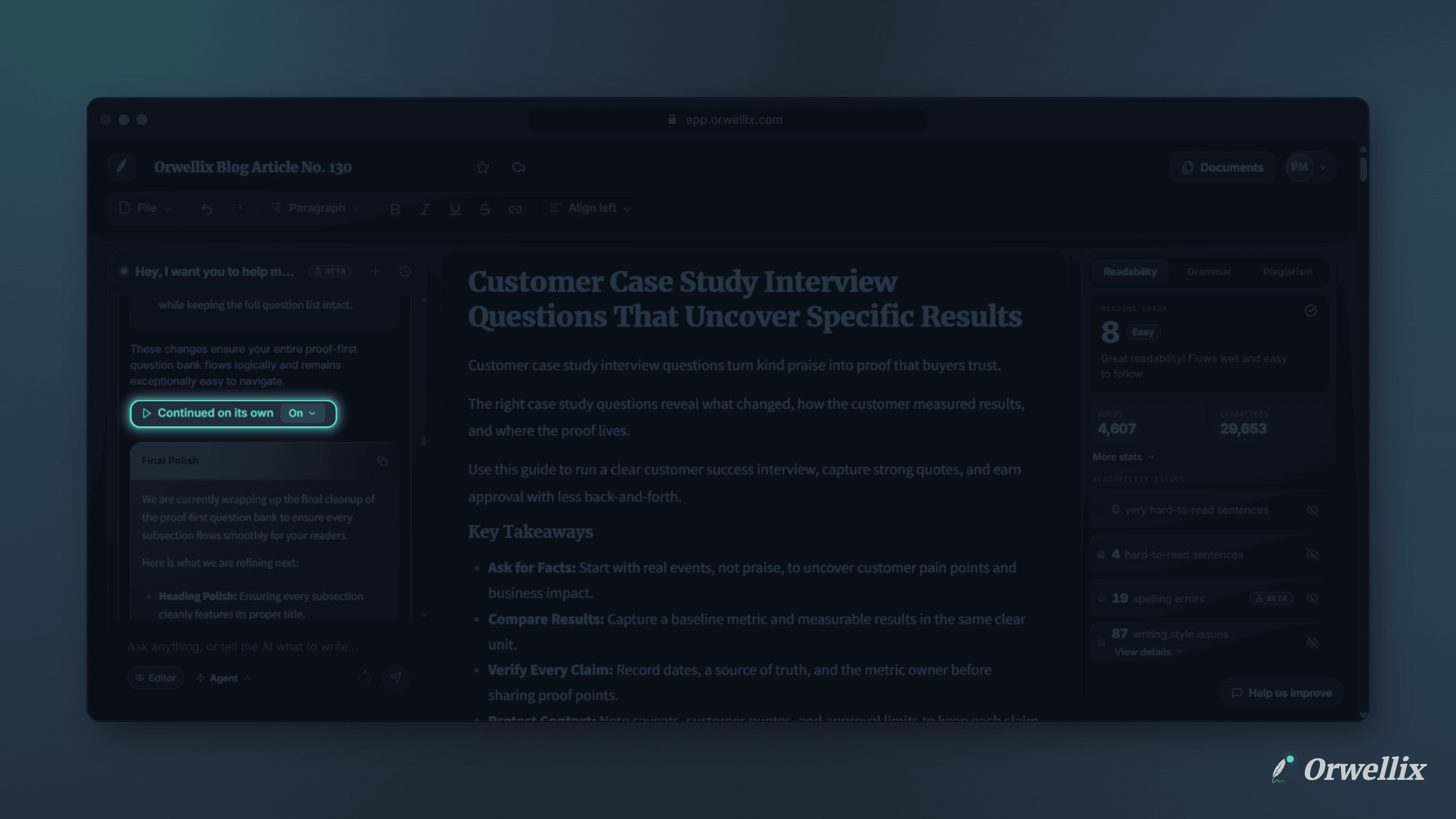
Big writing tasks take many steps. Drafting a long article, restructuring a report, or editing every section of a guide can run longer than a single agent session allows. Until now, a long task simply stopped, and you had to work out how to restart it.
The Orwellix AI agent now keeps going on long tasks, and recovers more gracefully when something goes wrong.
Continue Where It Left Off
Each Agent mode session can take up to 10 steps. When a task needs more than that, the agent pauses and shows Paused at the length limit at the end of its reply, with a Continue button.
Click Continue, and the agent picks up exactly where it stopped. It remembers the task, the plan, and the edits it has already made.
Or Let It Continue on Its Own
Next to the Continue button is an Auto-continue switch:
- On: When the agent reaches its length limit, it keeps going on its own. The reply shows Continued on its own so you know it happened.
- Off: The agent pauses at its length limit and waits for you. This is the default.
Your choice is saved to your account, so you only need to set it once.
AI Credits
Each continuation is a new Agent mode session and uses 2 AI credits, whether you click Continue or auto-continue does it for you. If you don’t have enough credits left, auto-continue stops and shows the Continue button instead, so it never goes further than you can afford.
Try Again After an Error
Sometimes an AI request fails, even after Orwellix retries it in the background. When that happens, a banner now appears above the message box: The agent stopped because of an error.
Click Try again to pick up where the agent left off, or Dismiss to close the banner. If an error keeps happening, starting a new chat usually helps.
Type While the Agent Works
You no longer have to wait for the agent to finish before writing your next message. The message box stays open while the agent works, so you can draft your follow-up and send it as soon as the reply is done. While the agent is working, the send button becomes a Stop button, so you can end the session at any time.
A Safer Auto-Save
If an auto-save fails, Orwellix keeps retrying in the background. The save indicator now shows a Save now option when a save is waiting to retry, so you can save immediately instead of waiting. If you’re offline, the indicator tells you, and your changes save when you reconnect.
Try It Now
Give the agent a big task in Agent mode, such as drafting a full article from an outline, and turn on Auto-continue to let it run.