Most writing is meant to be read by someone else: a client reviewing a draft, a teacher checking an essay, a teammate who needs the latest version. Until now, that meant downloading a file and sending it, and sending a new file every time the draft changed.
You can now share your Orwellix documents directly.
How to Share
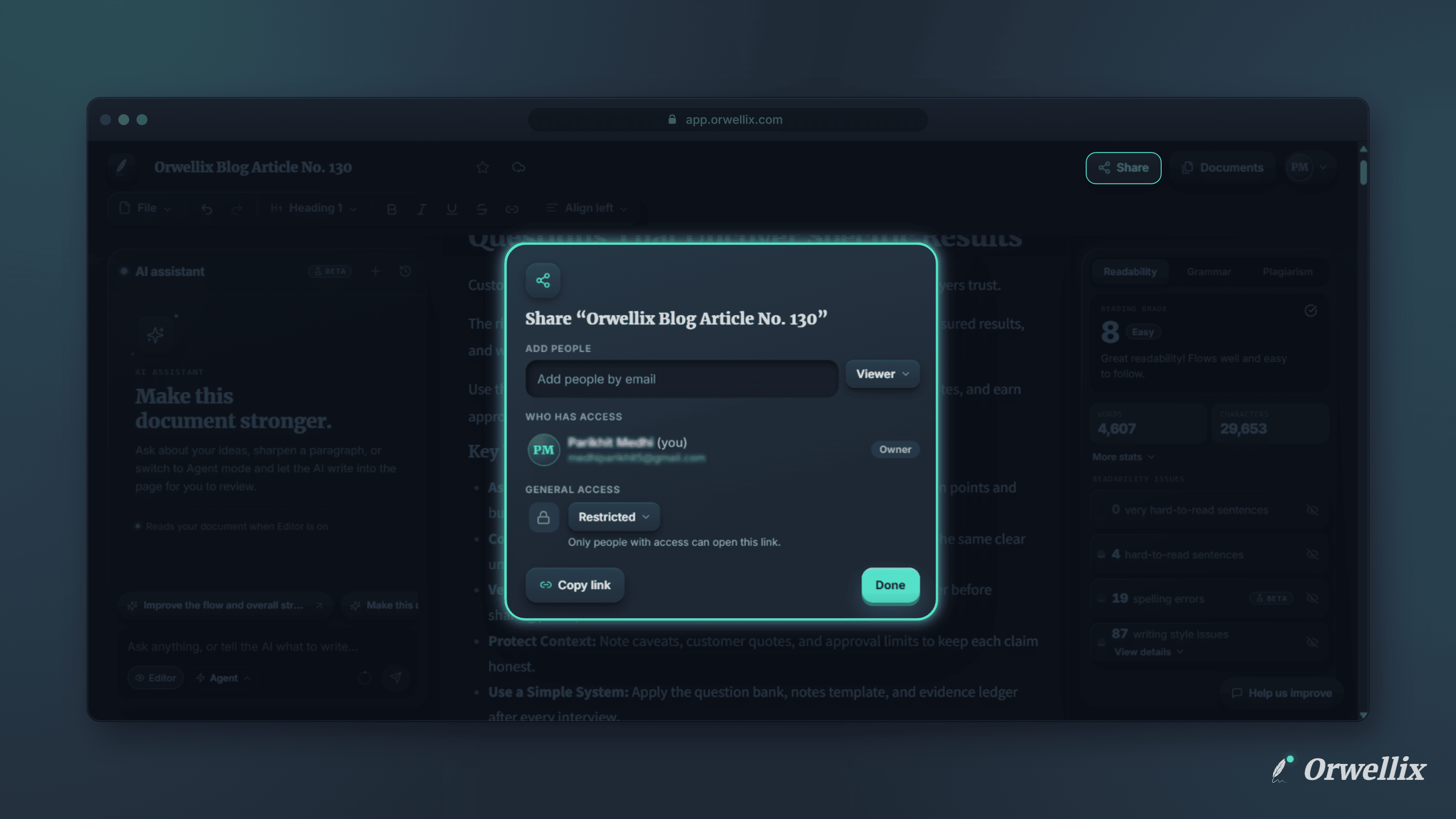
Open a document you own and click Share in the editor header, or choose File → Share. The Share window has three parts:
- Add people: Type someone’s full email address to find their Orwellix account, then click Share.
- Who has access: Everyone who can open the document, with their role.
- General access: Choose who can open the link.
Every change saves straight away.
Share with Specific People
Add people by their email address. They need a verified Orwellix account, and you can share one document with up to 50 people.
Let them know is on by default, so each person gets an email with an Open document button. Turn it off to give access without sending an email.
To remove someone, open their role menu, choose Remove access, and click Save. Changed your mind? Click Undo before you save.
Share with a Link
Under General access, choose:
- Restricted: Only people you’ve added can open the link. This is the default.
- Anyone with the link: Anyone on the internet with the link can read the document, even without an Orwellix account.
Click Copy link to copy the document’s address and send it however you like.
What Readers See
People you share with see your document in a clean, read-only view at the same address. They can read, scroll, download, and print it, but they can’t change it.
Signed-in readers can also Make a copy to get their own editable version in their own Orwellix account. Your original never changes.
For now, everyone you share with gets Viewer access. Commenter and Editor roles are coming soon.
Request Access
If someone opens a restricted document they don’t have access to, they can ask for it. They can add an optional note, such as who they are or why they need it, and click Request access.
You get an email with a Manage sharing button. The request also appears in the Share window, where you can Approve or Decline it. Either way, the person is emailed with your answer.
Shared with You
Documents other people share with you appear in your documents list next to your own, marked Shared · Viewer with the owner’s name. They’re sorted by when you last opened them, and they’re included when you search.
Documents shared with you don’t count toward the Free plan’s 10-document limit.
Available on Every Plan
Sharing works on every Orwellix plan, including Free. Open a document and click Share to try it.