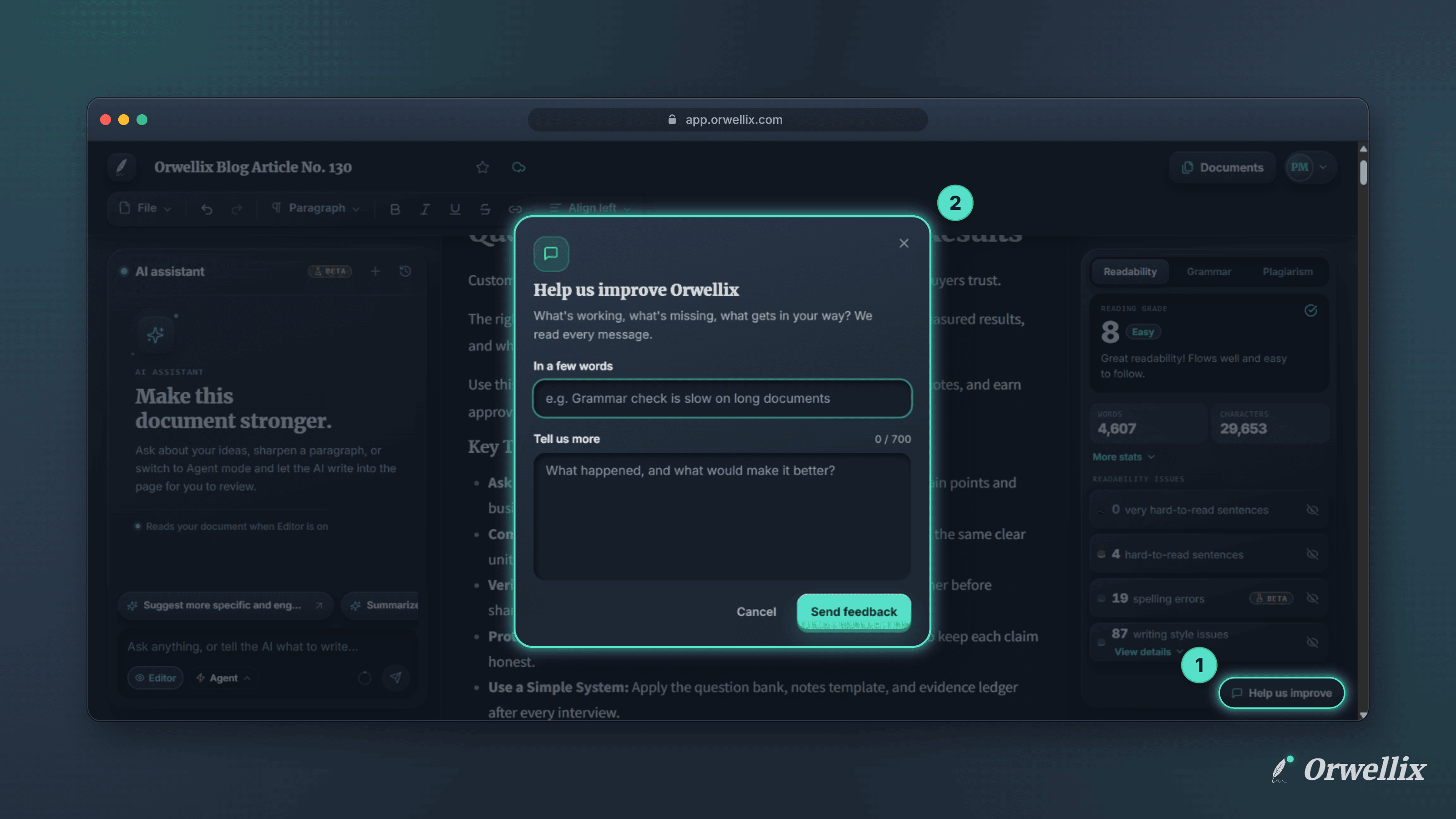
The best ideas for Orwellix come from the people who use it every day. But until now, the feedback form was tucked inside the account menu, where few people found it.
There’s now a Help us improve button in the bottom-right corner of the app.
Where You’ll Find It
The button appears on:
- The document editor
- Your documents list
- Settings
- Trash
- Support pages
On a phone or a narrow window, it shrinks to a small speech-bubble icon so it never covers your work.
Two Quick Questions
Click Help us improve and a short form opens:
- In a few words: a one-line summary, such as Grammar check is slow on long documents.
- Tell us more: what happened, and what would make it better.
Click Send feedback, and you’ll see Thanks, we got it. That’s it.
Who Reads It
Your feedback goes straight to the people building Orwellix, and we read every message. If you’d like a reply or need help with your account, include that in your message, or open a support case.
Tell Us What You Think
Look for Help us improve in the corner of any page in Orwellix.