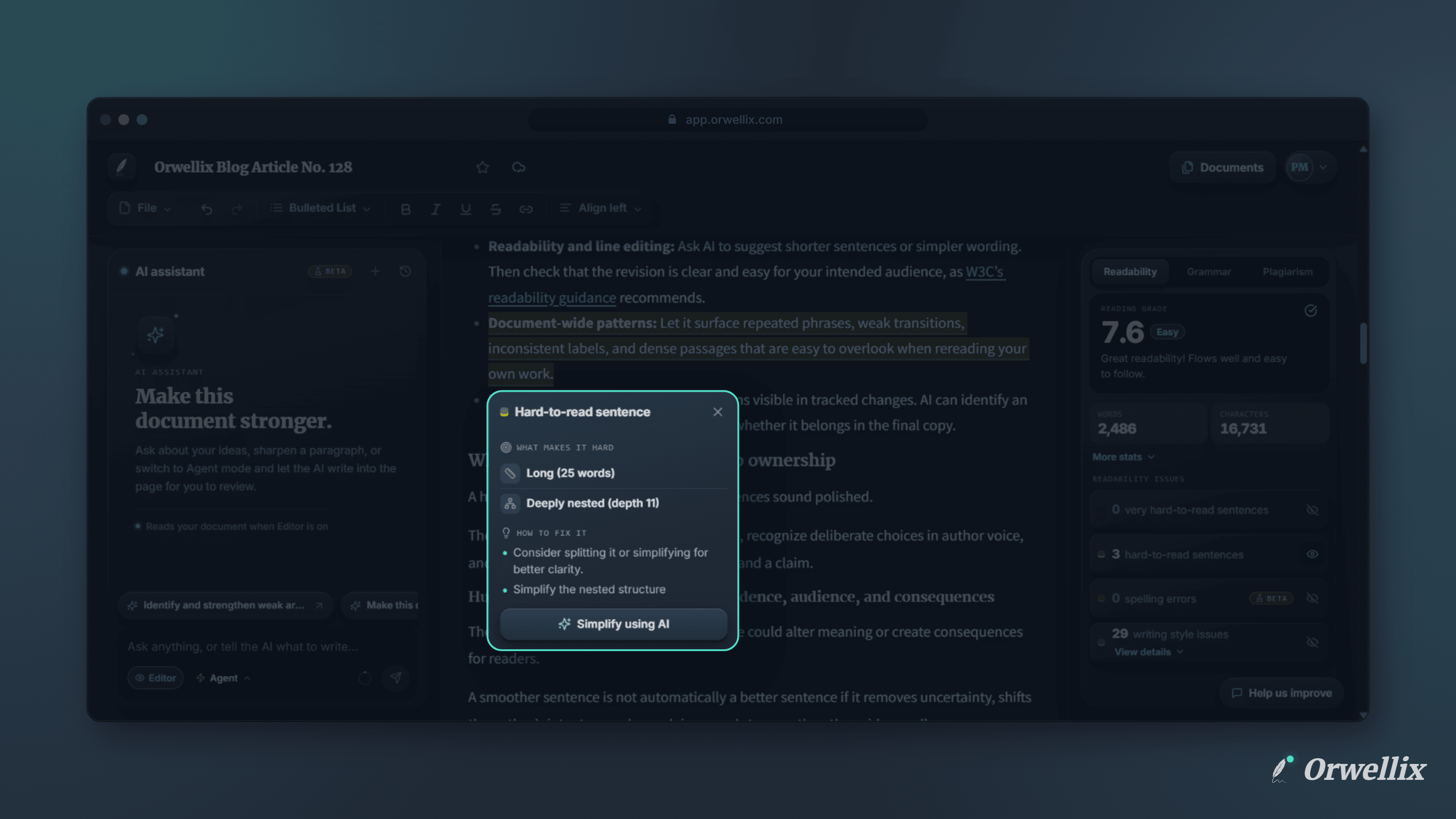
Finding a hard-to-read sentence is the easy part. Rewriting it so it’s shorter and clearer without losing what it says takes real effort, especially when a long document has dozens of them.
Hard-to-read sentences in Orwellix now come with a one-click fix: Simplify using AI.
How It Works
- Click a sentence that’s highlighted as Hard-to-read sentence or Very hard-to-read sentence.
- In the tooltip, click Simplify using AI.
- The AI assistant opens in Agent mode and starts a new chat for this sentence.
- The agent rewrites the sentence and places the new version in your document as a suggested edit.
- Review the change: the old text shows in red, the new text in green. Click Accept to keep it or Reject to go back to the original.
The Agent Knows Why It Was Flagged
You don’t need to explain anything. Along with the sentence, the agent receives where the sentence is in your document, why the readability check flagged it, and the suggestions from the tooltip. It uses all of that to write a simpler version that still says the same thing and fits the sentences around it.
You Stay in Control
Nothing changes in your document until you decide. Every rewrite is a suggestion you can accept or reject. If several edits are waiting, a review bar lets you Accept all or Reject all at once.
AI Credits
Each Simplify using AI request is an Agent mode request and uses 2 AI credits, the same as any other Agent message. If you don’t have enough credits, Orwellix lets you know before anything starts.
Try It Now
Open a document, run the readability check, and click any sentence highlighted as hard to read. Then click Simplify using AI.