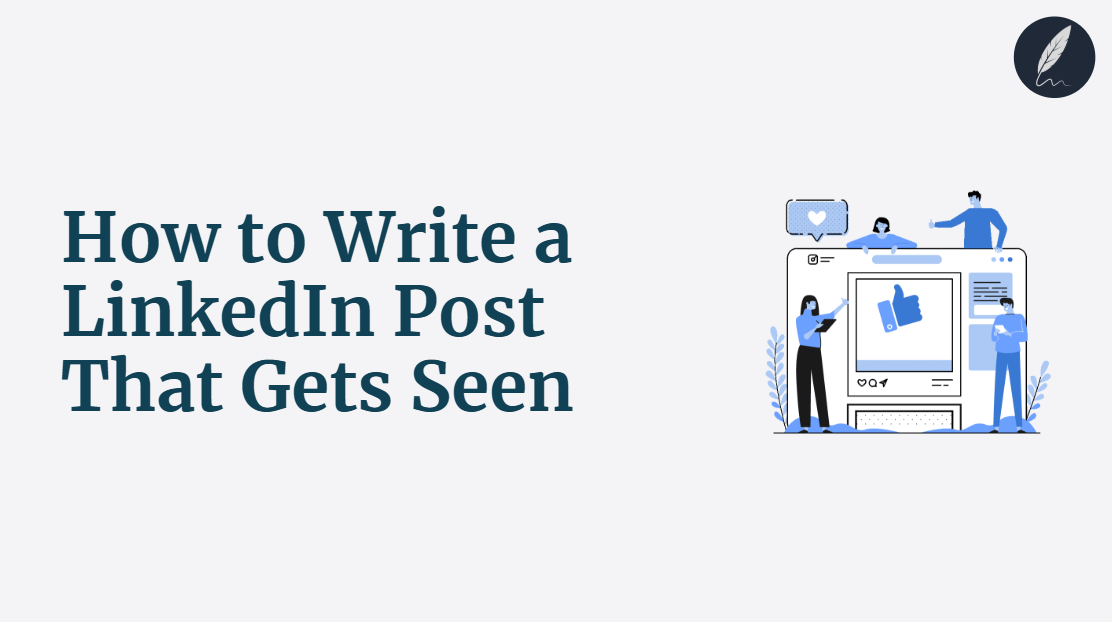
How to write a LinkedIn post that gets seen is not about a secret trick.
A post can reach fewer people and still start better talks with the right buyers.
This guide shows you how to choose an audience, share a clear idea, add proof, and invite useful replies.
Key Takeaways
- Name Your Reader: Define a clear audience and their current problem before you start drafting.
- Choose Post Visibility: Select a post setting that matches your audience and goal before publishing.
- Lead With Value: Open with a specific problem or result that makes readers want to continue.
- Add Supportable Proof: Back your point with an example, data, or honest limit from experience.
- Invite Useful Replies: End with one focused question professionals can answer from their own work.
Struggling with Clarity in your writing?
You're not alone. Many writers face this exact challenge.
Orwellix provides you with advanced writing tools specifically designed to overcome common writing hurdles. Our AI-powered platform helps you craft clearer, more engaging content with less effort.
Start Free TrialWhat “Getting Seen” on LinkedIn Actually Means
Getting seen on LinkedIn does not simply mean earning the largest possible number of LinkedIn impressions. It means reaching a relevant audience: people who can use your idea, share it with colleagues, hire you, buy from you, or start a useful professional conversation.
A post with modest reach can outperform a viral-looking post when the right people respond. For a freelance designer, 1,000 impressions from marketing leaders may matter more than 50,000 views. Those leaders need design support.
LinkedIn itself explains that members see content from their network, people and companies they follow, Groups, and recommended updates the platform considers relevant. Its systems also use social actions, such as posting, liking, and commenting, to help shape the Feed.
Read LinkedIn’s explanation of feed relevance for the platform’s own description.
- Meaningful comments: Responses from people who add experience, ask a serious question, or signal a real business need.
- Profile visits and connection requests: Signs that the post made a relevant professional want to learn more about you, so make sure your LinkedIn bio supports the same professional positioning.
- Direct messages and conversations: Potential next steps with buyers, partners, peers, candidates, or collaborators.
- Shares and saves: Useful indicators when the post contains an insight readers want to revisit or pass along.
Set a Goal Before You Draft
Before you write a LinkedIn post, decide what a useful result looks like. One post might be designed to start conversations with prospective buyers. Another may demonstrate expertise to peers, earn profile visits, or test a point of view with your professional network.
Choose one primary outcome. A post that tries to generate leads, recruit talent, explain a complex framework, announce a product, and provoke debate all at once usually gives readers no clear reason to engage.
Next, name the reader with enough detail that they can recognize themselves. “Business leaders” is broad, “B2B SaaS founders preparing for a pricing change” gives your hook, examples, and call to action a clear direction.
Then write a one-sentence post promise. For example: “For freelance designers: the three questions that prevented scope creep on my last project.” The reader knows who the post serves and what practical value to expect.
If your draft solves three unrelated problems, split it into separate LinkedIn post examples. A focused idea is easier for a relevant audience to understand, discuss, and remember, it gives you a stronger foundation for meaningful comments.
Start With Visibility and LinkedIn’s Relevance Basics
- The key point: LinkedIn does not publish a formula that guarantees post visibility. Its Feed includes network, followed, Group, and recommended content that its systems consider relevant to each member.
That distinction matters when you learn how to write a LinkedIn post. Your job is not to chase a hidden algorithm trick. Your job is to make the topic, intended reader, and practical value clear enough that the right professional can quickly recognize why the post matters.
LinkedIn’s explanation of feed relevance also confirms that social actions, including posts, likes, and comments, help inform the content members see. Treat this as platform guidance, not a promise that any one action will produce a certain number of LinkedIn impressions.
Choose the Right Post Visibility Before Publishing
- Check visibility before publishing: Choose the setting that fits the post’s purpose. LinkedIn says you cannot change post visibility after sharing.
Anyone is the strongest fit for an idea you want available to a broad professional audience. LinkedIn says these public posts may be visible on and off LinkedIn, including to followers and, in some cases, through search.
Choose Connections only when the message is primarily for your first-degree connections, such as a personal career update or a sensitive lesson from work. Choose Group when the conversation belongs in a specific LinkedIn Group and genuinely serves that community’s rules and interests.
Write So the Right Professional Reader Can Recognize Relevance
- Write for recognition: Name the reader, their situation, and the lesson. “A lesson for B2B marketers whose demo requests rose but qualified pipeline did not” is clearer than “A lesson about growth.”
Use the phrases your audience uses in meetings, searches, and professional conversations, but keep them natural. A founder may care about qualified pipeline, while a freelancer may care about scope creep or client retention. Those terms clarify the idea; repeating keywords only to influence the LinkedIn Feed does not.
Keep your claims modest, too. LinkedIn explains that it uses social actions and engagement data to provide content relevant to members in the Feed. It does not publish a word-by-word scoring formula for writers to follow. Clear, focused writing is therefore a sound reader-first practice, not a guaranteed reach hack.
Use a Five-Part Structure for a LinkedIn Post
Use these five parts to guide readers from immediate recognition to a useful response.
Together, the hook, context, value, proof, and conversation CTA make your LinkedIn post easier to scan, understand, and discuss.
1. Hook: Make the Right Reader Stop Scrolling
Your LinkedIn post hook is the first line or two that gives the right person a reason to stop scrolling. It should make the topic clear quickly, so the right readers can see why the post matters to their work.
- Name a recognizable situation: Lead with a problem, result, or opinion your intended reader understands immediately.
- Be specific: “Our demos increased 40%, but qualified pipeline barely moved” is stronger than “We learned a marketing lesson.”
- Give a real payoff: Tell readers what tension or question the post will help them resolve; do not hide the point behind empty curiosity.
- Test three options: Draft three opening lines, then choose the one that most clearly names the reader’s problem or desired outcome.
- Find more patterns: Explore these hook examples for clear ways to open a post.
2. Context: Explain Who This Is For and Why It Matters
Context tells readers why your insight matters to them right now. After the hook, briefly name the reader, the situation they face, and what is at stake if the problem goes unresolved.
- Keep it brief: Give readers only the details they need to understand the lesson.
- Avoid a long backstory: Remove information that does not change the reader’s decision or understanding.
- Connect to the lesson: Make the cost, risk, or opportunity clear before you explain what to do next.
- Audience: Name who needs the lesson.
- Situation: Describe the decision, change, or problem they face.
- Stakes: Show what becomes harder, slower, or more costly if they miss the point.
For example: “This matters for SaaS founders planning a pricing change. More demo requests can look like growth while sales teams spend time with poor-fit buyers.” Those two sentences make the audience, moment, and business cost clear.
3. Value: Teach One Useful Lesson
The value section delivers the useful core of your LinkedIn post. Teach one clear lesson readers can apply, rather than stacking several disconnected tips into one draft. A focused idea is easier to understand, remember, and discuss.
- Choose one takeaway: Decide what the reader should know, do, or reconsider after reading.
- Use a simple teaching format: Explain a short process, share one decision rule, contrast a common mistake with a better approach, or show a before-and-after change.
- Test the draft: If a reader cannot summarize the lesson in one sentence, narrow the point or save the extra advice for another post.
For example, a demand-generation team might write: “Before approving a campaign, define the buyer, the problem they are trying to solve, and the proof they need before booking a demo.” The takeaway is clear: better campaign decisions start with buyer clarity, not a longer list of tactics.
4. Proof: Make the Insight Believable
Proof gives readers a reason to trust your lesson. The stronger your claim, the more specific and proportionate your evidence should be.
- Starting point: State the problem or situation you faced.
- Change: Explain the one action, decision, or test you made.
- Observed result: Share what happened using specific, supportable language.
- Caveat: Say what the result does not prove or where it may not apply.
For example: “On our last launch, we narrowed the audience description before running the campaign. We received fewer unqualified demo requests, which gave sales a clearer starting point. It did not solve every pipeline issue, but it showed that clearer audience criteria improved the quality of early conversations.”
5. Conversation CTA: Invite a Useful Response
A conversation CTA gives the right reader a clear reason to respond. End your LinkedIn post with a focused question that readers can answer from their own professional experience.
- Keep it connected: Ask about the lesson you just taught, not a new topic.
- Make it specific: Give readers a clear situation, decision, or signal to discuss.
- Leave room for judgment: Invite experience or respectful disagreement instead of a one-word reaction.
A weak CTA is “What do you think?” because readers must invent their own angle. A stronger CTA is: “If you sell to mid-market teams, what signal tells you a demo request is likely to become qualified pipeline?”
Avoid engagement bait such as “Comment YES” or “Agree?” A useful question helps the right professionals add substance to the conversation.
Format the Post for Fast, Useful Reading
A useful LinkedIn post should be easy to understand before it is easy to react to. Most people read the LinkedIn Feed in short gaps between meetings, tasks, or messages, so your structure should help them find the point quickly.
Formatting is not about making a post appear longer. It is about giving each part of the idea enough space to be understood.
Give Every Paragraph One Job
Keep one main idea moving from the hook to the final call to action. If a paragraph introduces a different lesson, a new audience problem, or an unrelated story, save it for another post.
Use short paragraphs to separate the hook, context, lesson, proof, and question. This does not mean every sentence needs its own line. Instead, group one or two connected sentences so readers can follow the argument without facing a dense block of text.
- Hook: Put the specific problem, result, or opinion near the top.
- Context: Briefly explain who the lesson is for and why it matters.
- Value: Teach one useful point, process, or decision rule.
- Proof: Add an example, observation, data point, or honest caveat.
- Conversation CTA: End with a focused question that naturally follows from the lesson.
For example, a dense opening such as “We changed our campaign strategy because demo volume rose, pipeline quality fell, sales spent more time qualifying leads, and we learned that buyer clarity matters” asks readers to process several ideas at once.
Break it into a sequence instead: “Our demo volume rose, but qualified pipeline fell. The problem was not demand. We had not defined the buyer clearly enough before launching the campaign.” The second version makes the tension and lesson easier to spot.
Choose the format that best serves the lesson. A text post works well for a clear opinion, a short story, or one practical insight. When repurposing a blog post, use a document post only when a visual walkthrough, framework, or step-by-step process genuinely helps readers understand the point.
Before publishing, skim the post from the first line to the CTA. If you cannot quickly identify the audience, topic, and takeaway, tighten the structure before you share it.
Rewrite Generic Lines Into Specific Ones
Generic LinkedIn post lines make readers work too hard to understand who a post is for, what happened, or why the lesson matters. Specific language gives the right professional a faster reason to stop, read, and respond.
When revising a draft, replace broad labels with a specific audience, situation, result, or decision. Instead of saying you learned something about marketing, name the business problem, result, or decision that changed your view.
Instead of asking for general thoughts, give readers a focused question they can answer from professional experience.
- Generic hook: “Here is what I learned about marketing.”
- Specific hook: “We doubled demo requests and still missed pipeline targets. Here is the message mistake behind it.”
- Vague value claim: “You need better content.”
- Useful value claim: “Before publishing, name the buyer, the moment they are in, and the decision your post can help them make.”
- Generic CTA: “Thoughts?”
- Discussion-worthy CTA: “Which part of this process breaks first on your team: audience definition, proof, or the final question?”
Before publishing, scan each line for a missing detail. Ask who the post is for, what happened or changed, and what the reader should do, question, or discuss next.
If the draft cannot answer those questions quickly, replace abstract wording with details that make the post useful.
Keep the Conversation Professional, Not Spammy
Professional LinkedIn conversations are built on relevance, honesty, and respect for the reader’s time. Write to contribute a useful idea or start a real discussion, not to manufacture empty reactions.
LinkedIn’s Professional Community Policies set boundaries for how members interact on the platform. In plain language, avoid deceptive, harassing, copied, irrelevant, or artificially coordinated activity, focus instead on content and comments that genuinely serve the professional conversation.
- Write for the reader, not a loophole: Avoid keyword stuffing, misleading claims, copied comments, irrelevant tags, and coordinated engagement tactics.
- Make promotion proportionate: If you mention an offer, make the lesson useful on its own and state the promotional point clearly.
- Respect the setting: In Groups, follow the community rules and post only when the topic genuinely serves that audience.
- Comment with substance: Add an observation, answer, example, or thoughtful follow-up instead of posting generic replies solely to attract attention.
- Keep disagreements professional: Challenge an idea with reasons and experience; do not attack the person sharing it.
Use one final test before publishing: would this post still help the intended reader if nobody clicked, bought, or agreed? If the answer is no, strengthen the insight, clarify the offer, or remove the engagement tactic before sharing.
Use a Pre-Publish Checklist Before You Share
A final review helps you catch unclear framing, unsupported claims, and avoidable publishing mistakes before the post reaches your professional network. Use this LinkedIn post checklist to confirm that each part of the draft serves the right reader.
- Audience: Can the intended reader immediately recognize that the post is for them and their current situation?
- Visibility: Did you choose Anyone, Connections only, or Group before publishing? LinkedIn does not let you change this setting after sharing.
- Hook: Does the first line state a specific tension, result, observation, or informed opinion?
- Value and proof: Can readers identify one useful takeaway, and can you support each strong claim with experience, an example, data, or a clear caveat?
- Format and CTA: Is the post easy to scan, with short purposeful paragraphs and a focused question that follows from the lesson?
- Final guardrail: Remove keyword stuffing, irrelevant tags, misleading language, and any tactic designed to produce empty engagement.
If one answer is no, revise before you share. A clearer post may not guarantee reach, but it gives the right people a better reason to understand, trust, and respond to your idea.
After Publishing: Build on the Conversation and Results
Reply With Substance, Then Record What Happened
Publishing is the start of the work, not the finish. Thoughtful replies serve the people who joined the discussion, while a simple record of results shows what resonated with the right audience.
What to Track From Each Post
- Reply with substance: Answer a question, add a useful detail, share a relevant example, or ask a thoughtful follow-up. A generic thank-you is fine occasionally, but it rarely moves the professional conversation forward.
- Prioritize quality signals: Record relevant comments, profile visits, connection requests, direct messages, and conversations that lead to a credible next step. These signals usually matter more than a large impression or reaction count alone.
- Save the post inputs beside the outcomes: Note the topic, intended audience, hook, format, visibility setting, proof, and CTA. This gives you context when comparing posts instead of guessing why one performed differently.
- Look for patterns, not verdicts: One strong or weak post is a clue, not proof of a universal LinkedIn rule. Compare several similar posts before changing your approach.
- Use outside analysis carefully: Buffer’s LinkedIn algorithm analysis may suggest experiments, such as replying to comments. Treat it as third-party analysis, not LinkedIn’s official formula or a guarantee of reach.
Keep the record lightweight. A note with the post link, its inputs, the strongest relevant responses, and any resulting conversation is enough to make the next draft more informed.
Turn One Post Into a Better Next Draft
The best follow-up ideas often come from the people your first post reached. Review relevant replies for recurring questions, objections, and examples that show what readers need explained next.
- Find one useful signal: Look for a recurring question, objection, or example from people in your intended audience. A single thoughtful response can be useful when it exposes a meaningful gap, repetition makes the signal stronger.
- Narrow the next angle: Answer that signal in a focused follow-up post rather than restating the original lesson. Keep the same audience and solve one clearer problem.
- Build from the conversation: A post about poor-fit demo requests might lead to a follow-up on qualifying questions, buyer-language mistakes, or the proof that attracts better-fit buyers.
- Keep a simple learning log: After each post, write what relevant readers responded to, what evidence supports that observation, and one variable you will test next.
- Treat results as direction, not rules: Let real professional conversations inform future drafts instead of chasing bigger vanity metrics or assuming one result proves a universal LinkedIn algorithm rule.
For example, if several sales leaders ask how to identify poor-fit demo requests, write the next post about the earliest qualification signal your team uses. Record whether the same audience adds more useful examples or starts more qualified conversations, then use that evidence to inform the next test.
Five LinkedIn Post Templates to Adapt
These LinkedIn post templates provide a flexible structure, not a formula to copy word for word. Tailor the audience, proof, and conversation CTA to your real professional experience so every post remains useful and credible.
1. Lesson-Learned Template
Use a lesson-learned LinkedIn post when a specific result, mistake, or decision changed how you approach your work. The goal is not to present yourself as flawless. It is to share one useful insight that helps professionals facing a similar decision make a better next choice.
- Hook: “I learned this after [specific result, mistake, or decision].”
- Context: “At the time, [audience or team] was trying to [goal], but [specific problem] happened.”
- Lesson: “The change I would make next time is [one practical action or decision rule].”
- Proof: “I know this because [observation, example, data point, or outcome].”
- Conversation CTA: “If you face [reader problem], what has helped you decide [focused question]?”
- Best for: Turning a real professional experience into one focused lesson that other readers can apply.
Make the lesson specific enough to support. Name what happened, the decision you changed, and the evidence or context that supports your conclusion. Avoid turning one experience into advice that applies to every team or situation.
2. Mini-Case-Study Template
Use a mini-case-study LinkedIn post when you can show how one change affected a real work problem. Keep the scope tight: show the starting point, one meaningful change, and what you observed without presenting one result as a universal solution.
- Starting problem: “We were trying to [goal], but [specific problem] made progress harder.”
- One change: “We changed [one process, message, or decision] by [brief explanation].”
- Observed result: “After [timeframe or context], we saw [specific, supportable outcome].”
- Caveat: “This may not apply when [constraint, audience difference, or limitation].”
- Conversation CTA: “If you have faced [similar problem], which change made the biggest difference?”
Make the result concrete, but keep the claim proportionate. Explain what the change improved, what it did not solve, and any context a similar reader would need before applying the lesson to their own work.
3. Informed-Opinion Template
Use an informed-opinion LinkedIn post when you have a focused professional belief shaped by real work, observation, or evidence. The aim is to explain a useful point of view, not to frame a preference as a universal rule.
- Belief: “I think [common practice] fails when [specific condition].”
- Reasoning: “It creates [problem, trade-off, or missed opportunity] because [clear explanation].”
- Example: “For example, [brief real situation, observation, or result].”
- Boundary: “This may work differently when [audience, constraint, or context].”
- Conversation CTA: “Where have you seen this differently, and what evidence shaped your view?”
Keep the belief narrow enough to examine. Support it with a concrete example, acknowledge relevant limits, and invite readers to challenge the idea with their own experience rather than asking them to agree.
4. Framework-or-Checklist Template
Use a framework-or-checklist LinkedIn post when you can share a repeatable process that helps readers make a clearer decision or complete a familiar task. Keep the process simple enough to apply, and explain every step in plain language instead of relying on vague principles.
- Purpose: “Before [task or decision], use this process to [specific outcome].”
- Step one: “[First action or question] helps you [practical benefit].”
- Step two: “[Second action or question] helps you [practical benefit].”
- Step three: “[Final action or question] helps you [practical benefit].”
- Conversation CTA: “Which step is hardest for your team to apply, and what makes it difficult?”
Use steps that readers can recognize in their own work. If a step needs extensive explanation, narrow the framework or turn that step into its own LinkedIn post. A focused checklist is more useful than a long list that tries to solve every version of the problem.
5. Before-and-After Process Template
Use a before-and-after LinkedIn post when a change in your process, message, or decision produced a clearer way to work. Contrast the old approach with the better new one so readers can see what changed and why it mattered.
- Before: “Previously, we [old process or decision], which led to [specific friction or limitation].”
- Change: “We now [new process or decision] by [brief explanation].”
- Difference: “This helps us [specific improvement or clearer outcome].”
- Boundary: “It may not work the same way when [constraint, audience difference, or limitation].”
- Conversation CTA: “If you were improving [relevant process], what would you change first?”
Make the outcome specific and supportable. Explain what became faster, clearer, easier, or more reliable, but avoid claiming that one process change solves every version of the problem.
Before using any template, replace every placeholder with a real audience, situation, decision, and piece of supportable proof from your work. Use short, purposeful paragraphs so readers can quickly find the problem, lesson, evidence, and question.
End with a focused discussion CTA that invites relevant experience or a respectful alternative view. Avoid generic prompts and engagement bait, the best question gives the right professional a useful reason to contribute.
Treat Timing as an Experiment, Not a Universal Rule
There is no universal best time to post on LinkedIn for every professional audience. A posting time that works for one audience may not work for another. Routines differ by role, location, workload, and the kind of discussion your post starts.
- Start with audience reality: Choose two or three reasonable publishing windows based on when your intended readers are likely to be working. Consider their geography, role, meeting patterns, and daily routine.
- Keep the comparison fair: Test similar topics, formats, and calls to action across several posts. Change the publishing window before changing several other variables, so you can interpret the result more carefully.
- Record signals that matter: Compare LinkedIn impressions with relevant comments, profile visits, connection requests, direct messages, and conversations that lead to a credible next step.
- Look for patterns, not a winner: One strong result at a particular time is a clue, not proof that it is the best time for every audience, format, or week.
- Use a sustainable cadence: Publish often enough to learn from comparable posts, but choose a rhythm you can maintain without lowering the quality of the idea, proof, or replies.
For example, a B2B consultant might compare two weekday publishing windows over several similar posts aimed at operations leaders. If one window produces more useful questions and qualified profile visits, test it again before changing your broader LinkedIn content strategy.
Draft and Refine Your LinkedIn Post With Orwellix
A clear LinkedIn post works best when the idea, audience, proof, and final question all support one goal. Orwellix is an AI writing agent that works directly in your document and presents tracked changes for you to review before publishing.
Start by drafting several LinkedIn post angles around the same audience problem. Different hooks can reveal whether readers will respond more clearly to a result, a mistake, a contrarian observation, or a practical lesson.
- Use Ask Mode to pressure-test hooks: Ask whether the opening names the right audience, creates a specific tension, and promises a useful takeaway without relying on empty curiosity.
- Use Agent Mode to strengthen the draft: Ask it to improve clarity, specificity, supportable evidence, scannable formatting, and a discussion CTA that follows naturally from the lesson.
- Review every tracked change: Keep the edits that reflect your real experience, revise anything that overstates the evidence, and reject suggestions that do not match your voice or purpose.
If your post topic should reinforce how you present yourself professionally, keep that positioning consistent across the draft and your profile. If you manage an ongoing social calendar, use the same review process to keep recurring drafts focused and credible.

Write smarter with Orwellix
The Orwellix AI Capabilities that helps you craft clearer, more effective content.
Conclusion
Getting seen on LinkedIn starts with relevance, not vanity reach. Choose visibility with purpose, use a clear hook, context, value, proof, and conversation CTA, then make every claim specific and supportable. Format the post for easy reading and invite professional discussion instead of empty engagement.
Templates can help you shape a real experience into a useful post, while careful timing tests and result tracking show what the right audience responds to over time. Together, these practices create a repeatable relevance-first system: publish, listen, learn, and improve the next draft without chasing supposed algorithm tricks.
If you want a workspace for reviewing and refining drafts, Orwellix can help you examine clarity, evidence, structure, and tracked changes before publishing. The future of effective LinkedIn writing belongs to professionals who keep serving the right people, one useful conversation at a time.
Frequently Asked Questions (FAQs)
1. Is there a LinkedIn algorithm trick that guarantees more reach?
No. LinkedIn does not publish a formula that guarantees visibility for any post. Focus instead on helping a specific professional audience recognize a useful idea, then support it with clear context, proof, and a relevant question.
2. How long should a LinkedIn post be?
Use only as much space as the idea needs to become clear and credible. A short post may suit one focused observation. A longer post may need context, proof, and an honest caveat. In either case, use short paragraphs so readers can scan the point quickly.
3. Should I use hashtags or tag people to help my LinkedIn post get seen?
Use hashtags or tags only when they genuinely help the right people understand or join the conversation. Irrelevant tags, keyword stuffing, and tagging people without a clear reason can make a post feel spammy. Relevance and useful content matter more than forced tactics.
4. Which LinkedIn post visibility setting should I choose?
Choose the setting that matches the post’s purpose and audience. Use Anyone for broadly useful professional ideas. Choose Connections only for personal updates and Group for posts that serve a specific community. Check your setting before publishing, because LinkedIn says you cannot change visibility afterward.
5. What counts as proof in a LinkedIn post?
Proof can be a real example, a specific observation, relevant data, or an honest limitation from your work. Explain the starting situation, the change you made, and what you observed so readers can judge how widely the lesson may apply.
6. How do I end a LinkedIn post without sounding like engagement bait?
End with one specific question that follows from your main lesson. Ask readers about a decision, signal, or trade-off they know from their work instead of using broad prompts such as “Agree?” or “Thoughts?”
7. What should I do if a LinkedIn post gets little response?
Review whether the intended reader, hook, value, proof, and CTA were clear, then compare the post with similar drafts over time. Record relevant comments, profile visits, and conversations alongside timing and format, and use one useful signal to improve the next post rather than treating one result as a final verdict.
Try Orwellix Free for 7 Days
Experience Orwellix AI Agent's capabilites with risk-free trial. Full access to all features for 7 days. Credit card required to start, you won't be charged until the trial ends.
Start Your Free Trial