
Grade-level score
See how difficult your writing is to read with a clear readability grade and a visual meter.
Paste text into the Orwellix browser extension and instantly see your grade level, hard-to-read sentences, and writing style issues from any browser tab.
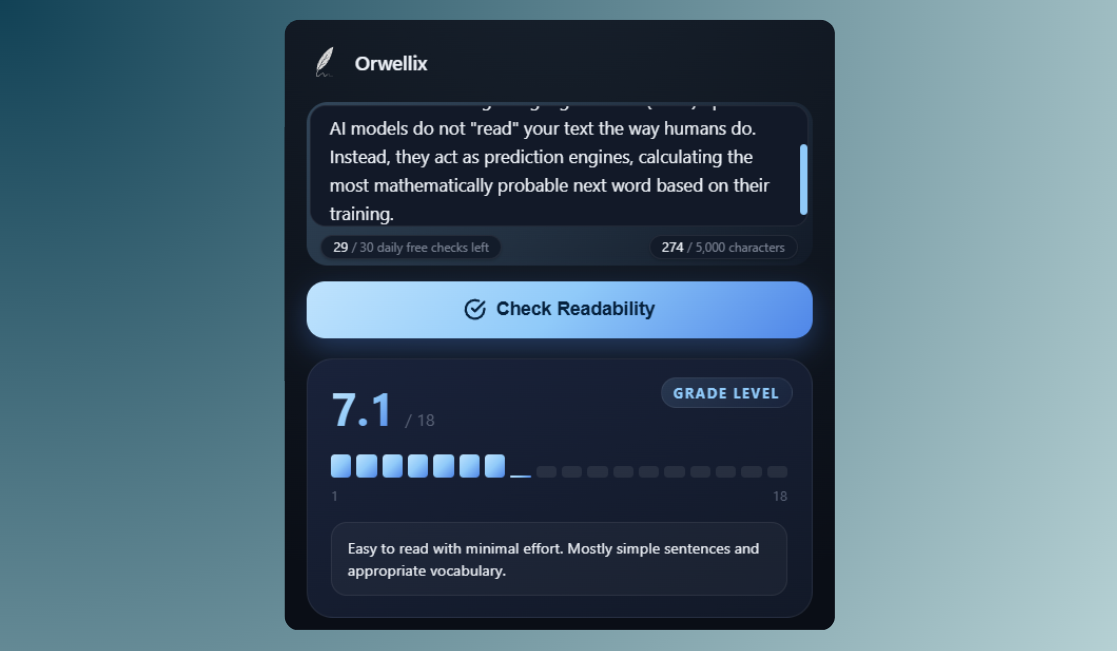
The extension gives you a focused readability report without opening a full editor or changing your writing workflow.
See how difficult your writing is to read with a clear readability grade and a visual meter.
Find the sentences most likely to make readers stop, reread, or lose the thread.
Spot adverbs, qualifiers, and passive voice that can make writing feel weaker or heavier.
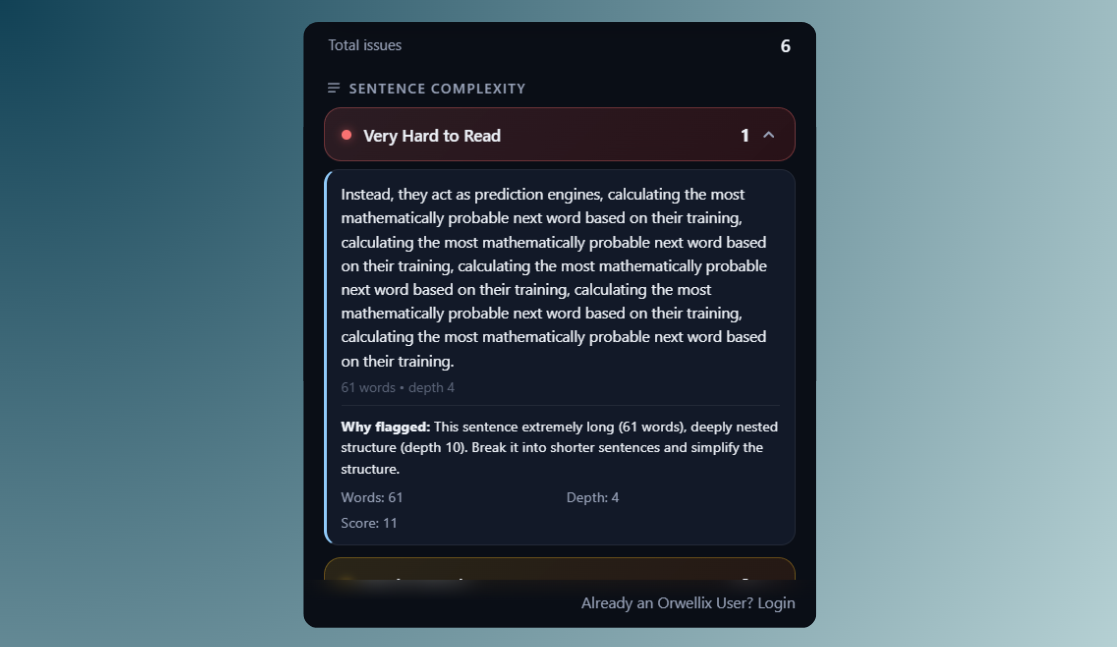
Expand issues to see word count, depth score, complexity score, and why a sentence was flagged.
Paste a snippet, run a check, review the result, and keep moving from any browser tab.
Orwellix turns a pasted passage into a practical report: score first, issue summary second, sentence-level details when you need them.
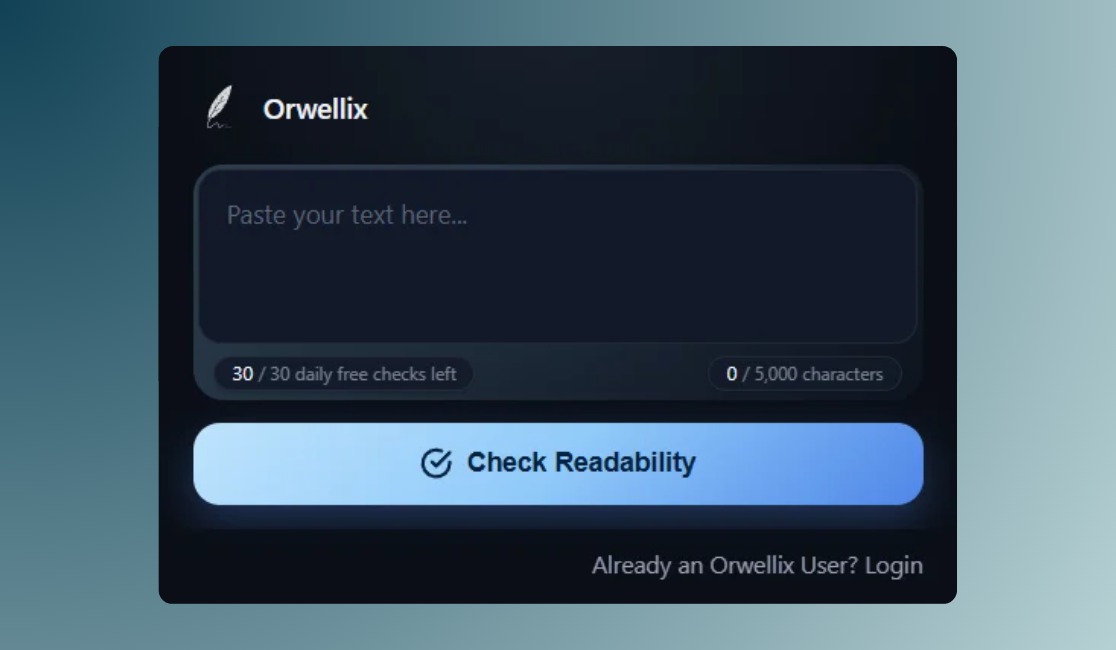
A score should be easy to act on. Orwellix shows a decimal-aware grade level with a compact visual meter, so you can quickly tell whether a passage is clear enough or needs another editing pass.
A grade tells you something may be wrong. Orwellix shows where the problem is and why it was flagged.
Find sentences with high complexity, long structure, or too many ideas packed into one line.
Review sentences that are understandable but still harder than they need to be for the reader.
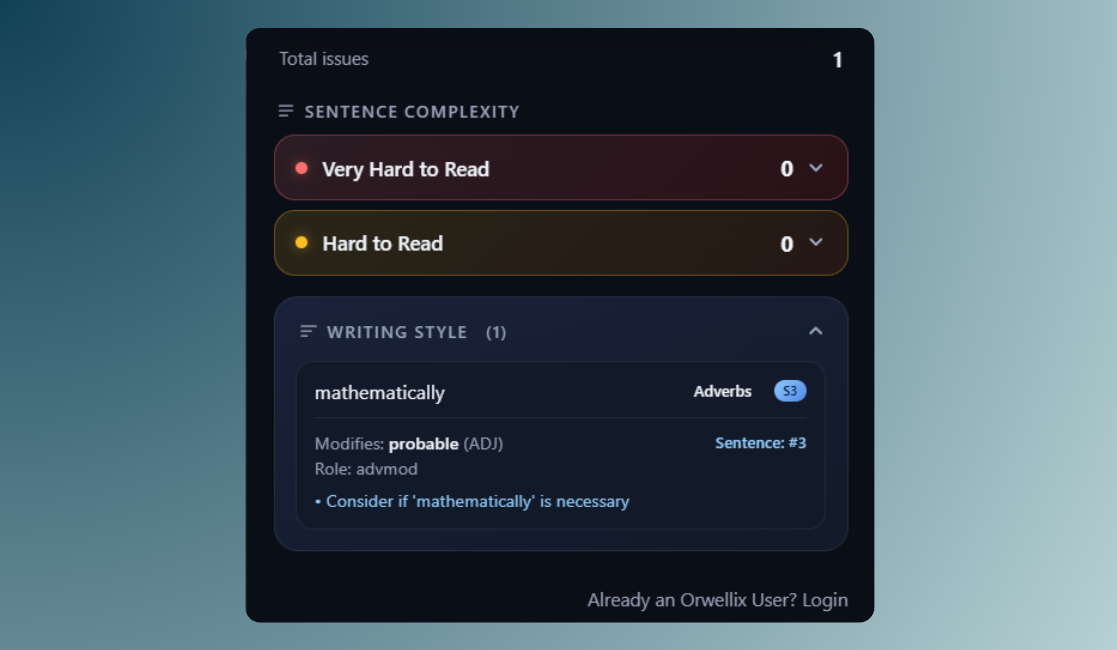
See adverbs, qualifiers, and passive voice grouped by sentence so repeated habits stand out.
The Chrome extension is built for quick checks. The full Orwellix editor is built for serious rewriting, long documents, and AI-Agentic editing.
Click the Orwellix icon from your Chrome toolbar whenever you want a quick clarity check.
Drop in a paragraph, email, intro, product update, or any short passage you want to test.
Get a grade-level score, sentence complexity report, and writing style issue breakdown.
When a draft needs deeper editing, move it into Orwellix for highlights and AI Agent rewrites.
Bloggers checking intros, outlines, and sections before publishing.
Students and researchers simplifying dense or academic passages.
Copywriters keeping landing pages, ads, and emails easy to scan.
Founders making product updates, support docs, and investor notes clearer.
Non-native English writers catching style issues that make text feel heavy.
Editors doing a fast readability pass before deeper revisions.
Use the free extension for quick readability checks, then move longer drafts into Orwellix when you are ready to fix issues in context.
Explore free Orwellix tools for checking clarity, simplifying text, analyzing tone, and generating stronger first drafts.
Explore free toolsCheck readability, tone, passive voice, word frequency, and sentence structure.
Simplify text, split long sentences, remove filler words, and sharpen weak phrasing.
Create outlines, hooks, titles, FAQs, slogans, landing page copy, and more.