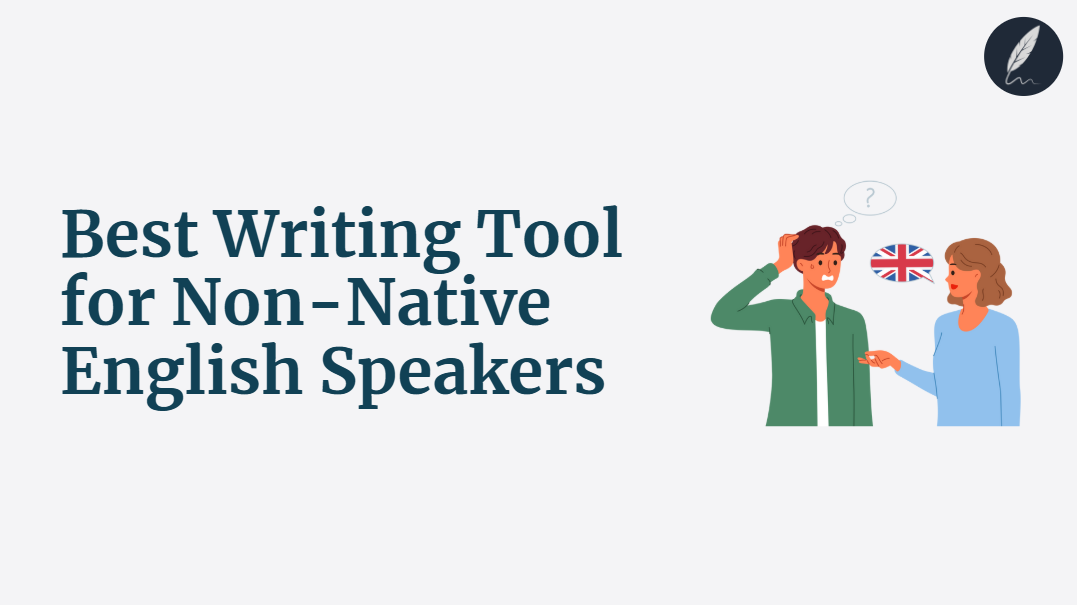
The best writing tool for a non-native English speaker depends on the work that needs to fit around it.
One writer may need corrections inside Google Docs and email. Another may need a low-cost sentence rewriter, detailed long-document reports, a focused readability editor, or a workspace that drafts and revises complete documents.
This guide compares those workflows by task, existing editor, integrations, review controls, budget, and access. It does not assume that every writer needs the same all-in-one platform.
Key Takeaways
- Start With the Task: Grammar correction, explanation-led learning, sentence rewriting, readability analysis, and complete-document production are different buying needs.
- Keep or Change Your Editor Deliberately: An extension may fit better when moving documents creates friction, a dedicated workspace may fit better when integrated analysis and controlled revision matter.
- Review Controls Protect Meaning: Compare suggestion cards, rewrite alternatives, tracked proposals, undo, and version history before trusting larger edits.
- Free Access Has Different Meanings: A free checker, limited editor, trial, and paid workspace are not equivalent. Check limits, signup requirements, and what happens when the allowance ends.
- Compare Like-for-Like Prices: Separate monthly rates, annual-equivalent prices, regional pricing, and one-time purchases.
- Use a Decision Tree: Choose by bottleneck and workflow rather than a universal ranking.
Struggling with Clarity in your writing?
You're not alone. Many writers face this exact challenge.
Orwellix provides you with advanced writing tools specifically designed to overcome common writing hurdles. Our AI-powered platform helps you craft clearer, more engaging content with less effort.
Start Free TrialWhy Non-Native English Writers Struggle to Choose the Right Tool
The categories overlap. Grammar checkers now rewrite sentences. Paraphrasers include grammar and tone features. General AI platforms edit documents. Readability editors add AI revision, while dedicated writing workspaces combine analysis, drafting, and review.
The product name therefore tells you less than the actual edition and interface. Grammarly in an email field is a different workflow from Grammarly Docs. Hemingway’s free editor differs from Editor Plus. QuillBot’s standalone paraphraser differs from Flow.
Writers also have different proficiency levels and constraints. A beginner may prioritize concise explanations and multilingual support. An advanced professional may care more about terminology, client voice, privacy, integrations, or preserving meaning across a long document.
The practical question is not “Which tool has the longest feature list?” It is “Which workflow solves my current bottleneck without creating a larger problem elsewhere?”
What the Best Writing Tool for Non-Native English Speakers Actually Needs to Do
Before comparing products, define what the tool must fit.
1. Match the Primary Task
Decide whether the bottleneck is grammar, explanations and practice, sentence rewriting, readability, or complete-document drafting and revision.
Use the narrower grammar-checker comparison for correction accuracy, the AI writing assistant guide for explanation-led learning, and the AI writing tool guide for complete documents.
2. Fit the Existing Editor
List where you write: Google Docs, Word, email, browser fields, mobile apps, Scrivener, a CMS, or a dedicated workspace. Verify the exact integration and whether moving the document causes formatting or review-history loss.
3. Preserve Meaning and Show Changes
Test a sentence that needs correction and a sentence that is already correct. The tool should fix the first without unnecessarily rewriting the second. For larger changes, compare suggestion cards, rewrite alternatives, tracked proposals, undo, and version restoration.
4. Support the Required English and Audience
Check US, UK, Australian, or other English preferences, register guidance, multilingual support, and terminology controls. A readability score can locate dense passages, but it does not prove naturalness or comprehension. The guide to what readability measures explains those limits.
5. Fit Budget, Access, and Privacy Requirements
Compare free limits, paid plan features, monthly versus annual billing, regional pricing, trials, refunds, file limits, and data-handling terms. Confidential client, academic, legal, or business material may require privacy and retention checks before upload.
How This Comparison Was Evaluated
This is a documentation-based comparison reviewed on October 11, 2026. Current editions, workflows, limits, and prices were checked against first-party product pages. It is not presented as a six-product hands-on benchmark because authenticated outputs were not captured from every paid product.
Each profile is compared on:
- Primary writing task.
- Where the tool runs.
- Correction and rewriting scope.
- Review or recovery controls.
- Readability, tone, multilingual, or document features.
- Free access, paid limits, and billing cadence.
Product order starts with the broadest integrated workspace, then moves through cross-app assistance, sentence rewriting, paraphrasing, report-led analysis, and focused readability. It is not a universal quality ranking.
6 Writing Tools for Non-Native English Speakers
1. Orwellix: Integrated Browser Writing Workspace
What It Does
Orwellix is a browser-based document workspace for drafting, analysis, and AI-assisted revision. Agent Mode handles broader writing tasks and presents proposed edits for individual approval or rejection. Ask Mode supports targeted questions and revisions beside the document.
Document context is optional. When enabled, it can support requests such as checking consistency across a proposal or preserving terminology while revising a section.
The live highlight system gives freelancers fast diagnostic feedback while they work:
- Red : Very hard to read - sentences that will lose most readers.
- Yellow : Hard to read - sentences that need shortening or simplification.
- Purple : Grammar issues - errors that undermine credibility.
- Blue : Style issues - passive voice, adverbs and qualifiers.
- Green : Spelling errors.
The advanced readability system evaluates Structural Complexity, Lexical Sophistication, Writing Clarity, and Text Coherence. The interface presents an estimated grade, sentence classifications, and style counts rather than treating those dimensions as four independent quality scores.
Where It Works for Non-Native English Writers
It fits writers willing to use a dedicated browser workspace and wanting readability signals, style categories, plagiarism allowances, questions, and tracked Agent proposals around the same saved document.
Agent Mode can also plan a task, use live web search, and draft in the editor. Generated facts, sources, and claims still require verification.
Before a paid trial, the free Tone Detector is useful for checking whether your current draft sounds too formal or uncertain. The free Passive Voice Checker is a good spot-check when the draft feels indirect. If one paragraph still feels heavy after that, the free Text Simplifier shows how much clarity headroom you still have.
Where It Falls Short
Orwellix works inside its own editor rather than as a Grammarly-style layer inside Google Docs, Word, email, or mobile apps. Import, export, formatting, and privacy behavior should be tested against the required workflow.
Tracked review provides control but does not prove that a proposed correction or researched claim is accurate.
Pricing
- Pro: $24 monthly or about $238 yearly, with 120 AI credits, 100,000 grammar characters, and 10,000 plagiarism words per month.
- Premium: $39 monthly or about $418 yearly, with 300 AI credits, 300,000 grammar characters, and 30,000 plagiarism words per month.
- Agent Mode: 2 credits per session. Ask Mode: 1 credit per session.
- The 7-day trial requires a card and includes 20 AI credits, 10,000 grammar characters, and 1,000 plagiarism words. The selected plan begins after the trial unless canceled before the first charge.
- New paid subscriptions include a ten-day refund-request window under the published terms.
2. Grammarly: Cross-App Assistance and Grammarly Docs
What It Does
Grammarly provides correctness, clarity, tone, and AI-assisted rewriting across supported browsers, Google Docs, Microsoft Word, email, desktop applications, and mobile products. Grammarly Docs adds a dedicated editor with AI chat and agents.
Where It Works for Non-Native English Writers
Its main advantage is reach. Grammarly Pro also includes full-sentence rewrites, tone adjustment, and 2,000 generative prompts per month. Docs agents can draft, paraphrase, proofread, find citations, and review a document.
Where It Falls Short
The experience varies by application and plan. A Docs agent has different context and review controls from an inline suggestion in a web form. Test the exact surface you use, including whether document history, formatting, and explanations meet your needs.
Pricing
- Free: correctness and tone support with 100 generative prompts per month.
- Pro: $30 monthly or $12 per month billed annually at published US pricing.
3. Wordtune: Fast Rewrite Alternatives
What It Does
Wordtune provides rewrites, AI suggestions, grammar checking, summaries, and AI writing assistance through its web product, browser extensions, and iOS app.
Where It Works for Non-Native English Writers
It suits writers who already know which sentence needs work and want several alternatives. The Unlimited plan lists clarity improvements, fluency increases, and vocabulary enhancement.
Where It Falls Short
It is a rewrite-first workflow rather than a persistent document-level readability diagnosis or per-change full-document Agent review. Verify context scope, integration, and meaning preservation for longer drafts. If that distinction matters, compare Wordtune alternatives for longer drafts.
Pricing
- Basic: free with 10 daily rewrites and AI suggestions.
- Advanced: $6.99 monthly or $4.89 per month billed annually.
- Unlimited: $9.99 monthly or $6.99 per month billed annually.
4. QuillBot: Rewrite Modes and QuillBot Flow
What It Does
QuillBot combines paraphrasing with grammar checking, tone insights, translation, summarization, AI chat, citation tools, and QuillBot Flow. Flow provides a workspace for saving documents.
Where It Works for Non-Native English Writers
It is useful when a writer wants several alternatives for fluency, formality, simplicity, or length. Premium lists nine modes, custom modes, paraphrasing in 23 languages, translation in more than 40 languages, and advanced grammar suggestions.
Where It Falls Short
Paraphrasing can change emphasis, terminology, or factual meaning. The reviewed product pages do not establish that every rewrite appears as an independently approvable tracked change, so test review and recovery in Flow. Writers who need per-change review can compare QuillBot alternatives with a tracked editing workflow.
Pricing
- Free: paraphrasing up to 125 words in two modes, basic grammar correction, limited AI tools, and up to 10 MB of saved Flow documents.
- Premium: full paraphrasing access, nine modes, advanced grammar suggestions, tone insights, and up to 100 MB of saved Flow documents. Pricing is localized.
5. ProWritingAid: Report-Led Long-Form Editing
What It Does
ProWritingAid combines grammar correction, more than 25 writing reports, Rephrase, and Sparks. It works through its editor and integrations including Word, Google Docs, Scrivener, browsers, and desktop applications.
Where It Works for Non-Native English Writers
Writers who want detailed feedback across long-form drafts may value reports for readability, sentence structure, sticky sentences, repeated words, consistency, style, dialogue, and pacing. Rephrase and Sparks add rewrite assistance.
Where It Falls Short
The report-led workflow is more involved than an inline correction layer and increasingly emphasizes fiction, chapters, and manuscripts. Writers should test whether that depth matches their document type and whether the exact integration preserves formatting and review history.
Pricing
- A free account is available with limits.
- Premium and Premium Pro pricing is localized. Check the current pricing page for the applicable currency, billing period, and daily Rephrase, Sparks, and critique limits.
6. Hemingway Editor Plus: Focused Readability Revision
What It Does
The free Hemingway Editor and Hemingway Classic provide readability grades and color-coded prose signals. Hemingway Editor Plus adds AI sentence rewrites, advanced grammar correction, style and tone controls, custom instructions, document feedback, and synonym suggestions.
Where It Works for Non-Native English Writers
The focused interface can help a writer locate dense passages and request a simpler or differently toned version. Plus also supports target reading levels and document feedback.
Where It Falls Short
The free editor and Classic do not include the newer Plus AI workflow, so editions must be compared separately. Hemingway remains narrower than a broad drafting or multilingual platform, and a lower grade is not automatically better when technical detail is necessary.
Pricing
- Free editor: readability diagnosis without the Plus AI allowance.
- Classic 3: $19.99 one-time for offline Mac or Windows use.
- Editor Plus Individual 5K: $100 billed annually, displayed as $8.33 per month, with a two-week trial that requires no card and cancels automatically.
Quick Comparison Table
| Product and edition | Primary task | Where it runs | Review model | Relevant support | Published price note |
|---|---|---|---|---|---|
| Orwellix Pro/Premium | Integrated drafting, analysis, questions, and broader revision | Dedicated browser workspace | Per-change tracked Agent proposals | Readability, grammar/style, plagiarism allowances, optional document context | $24 monthly Pro, $39 monthly Premium |
| Grammarly Free/Pro + Docs | Cross-app correction, rewriting, and Docs agents | Browsers, Docs, Word, email, desktop, mobile, and Grammarly Docs | Accept/dismiss, direct edits, and document history | Tone, rewriting, multilingual support, and broad integrations | Free, Pro $30 monthly or $12/month billed annually in the US |
| Wordtune Basic/Advanced/Unlimited | Fast rewrite alternatives | Web, browser extensions, and iOS | Choose among rewrite suggestions | Grammar, summaries, AI suggestions, and fluency-focused rewriting | Free, Advanced $6.99 monthly, Unlimited $9.99 monthly |
| QuillBot Free/Premium + Flow | Paraphrasing and broader writing utilities | Flow, extensions, Word, desktop, and mobile apps | Choose among alternatives, verify recovery and meaning | Multilingual paraphrasing, grammar, tone, translation, and AI chat | Localized, Free and Premium limits differ |
| ProWritingAid Premium/Premium Pro | Report-led long-form analysis and rewriting | Editor, Word, Docs, Scrivener, browser, and desktop | Suggestion and report-led review | 25+ reports, Rephrase, Sparks, and manuscript features | Localized, check current daily limits |
| Hemingway Free/Classic/Plus | Focused readability diagnosis and revision | Web editor, offline Classic, and Plus editor | Use, regenerate, or revise Plus suggestions | Readability grade, rewrites, grammar, tone, and document feedback | Free, Classic $19.99 once, Plus 5K $100 annually |
Decision Tree: Which Writing Tool Fits Your Workflow?
Do you want assistance inside Google Docs, Word, email, browser fields, or mobile apps? Start with Grammarly. Also compare LanguageTool in the narrower grammar guide if multilingual checking is the main need.
Do you mainly want several alternatives for one sentence? Start with Wordtune. Use QuillBot when paraphrasing modes, translation, AI chat, and a broader utility suite are more important.
Do you want detailed reports across a long draft or manuscript? Start with ProWritingAid, especially when sentence patterns, consistency, pacing, dialogue, or repeated wording matter.
Do you mainly want a focused readability workflow? Start with Hemingway’s free editor for diagnosis or Editor Plus for AI revision and document feedback.
Do you want drafting, analysis, questions, plagiarism allowances, and per-change Agent review in one browser workspace? Consider Orwellix, provided moving the document into its editor fits your workflow.
Is your budget currently zero? Test the free edition of the closest-fit product with a real sample. Do not assume a free checker, limited rewrite allowance, and full paid workspace offer equivalent workflows.
If your English writing is tied to client work, the best writing tool for freelance writers guide covers client voice and delivery requirements.
Compare Review and Recovery Controls, Not Just Rewrites
Tracked proposals are one useful review model, but they are not the only one. Grammarly uses suggestion and Docs workflows, Wordtune and QuillBot present alternatives, ChatGPT Canvas provides inline suggestions and version restoration, and other editors rely on undo or document history.
For a small correction, suggestion-level review may be enough. For a broader document edit, the writer may need selective approval, a clear before-and-after comparison, or the ability to restore a previous version.
Visible differences show what changed, they do not automatically explain why or guarantee that the revision preserved meaning. For language learning, pair the change with an explanation and practice task. For production editing, compare names, numbers, conditions, quotations, and terminology before accepting the result.
Where Free Tools Fit Before You Pay for Anything
“Free” can mean a standalone diagnostic, a limited product edition, or a temporary trial. Check whether an account is required, which limits apply, and whether work can be saved or exported.
Use the Readability Checker when a passage feels dense. Use the Passive Voice Checker when a draft feels indirect. Use the Tone Detector for a separate tone signal.
For heavier cleanup, the Text Simplifier helps rework one hard paragraph and the Filler Words Remover catches hedging and empty padding quickly.
These are narrow diagnostics and rewriting utilities, not a free version of the complete Orwellix workspace. If clarity is the core issue, read what readability actually measures.
For broader free access, Grammarly, Wordtune, QuillBot, ProWritingAid, Hemingway, and other products in this guide provide different limited editions or allowances. If the real problem is grammar, use the best grammar checker for non-native English speakers. If you want a complete-document AI workflow, compare the best AI writing tool for non-native English speakers.
When an Integrated Editor Helps and When a Specialist Is Enough
An integrated workspace can reduce transfers between tools and keep analysis, revision, and review around one saved document. That is useful when the same draft needs several kinds of work and moving it risks context or formatting loss.
A specialist can be the better choice when the task is narrow. A writer who only needs inline corrections may prefer Grammarly. Someone who wants sentence alternatives may not need more than Wordtune. A manuscript writer may value ProWritingAid’s reports, while a readability-only task may fit Hemingway.
Do not assume that more integration always means less work. A dedicated workspace may require import, export, formatting checks, and a new editor. Compare the complete round trip and keep only the subscriptions that solve a task you actually perform.

Write smarter with Orwellix
The Orwellix AI Capabilities that helps you craft clearer, more effective content.
Conclusion
The best writing tool is the one that solves the current bottleneck and fits the applications, review process, budget, and privacy requirements around it.
Use Grammarly for assistance across existing apps, Wordtune for fast alternatives, QuillBot for a broader paraphrasing and utility suite, ProWritingAid for report-led long-form editing, and Hemingway for focused readability work.
Orwellix is a practical choice when a dedicated browser workspace fits and you want drafting, analysis, questions, plagiarism allowances, and tracked Agent proposals together. Its integrated workflow still requires fact, meaning, terminology, and formatting review.
Start a 7-day Orwellix trial with a credit card and no charge during the trial. The trial includes 20 AI credits, 10,000 grammar characters, and 1,000 plagiarism words. Cancel before the first charge to avoid conversion to the selected paid plan. New paid subscriptions include a ten-day refund-request window under the published terms.
Frequently Asked Questions (FAQs)
1. What is the best writing tool for non-native English speakers in 2026?
There is no universal winner. Grammarly fits cross-app assistance, Wordtune fits quick sentence alternatives, QuillBot fits paraphrasing and a broad utility suite, ProWritingAid fits detailed long-form reports, Hemingway fits focused readability work, and Orwellix fits an integrated browser workspace with tracked Agent proposals.
2. Should I choose Orwellix or Grammarly?
Choose Grammarly when assistance inside Google Docs, Word, email, browsers, desktop, and mobile apps is the priority. Consider Orwellix when moving the document into a dedicated browser workspace is acceptable and you want readability analysis, questions, plagiarism allowances, and per-change Agent review together.
3. Can a writing tool actually help me sound natural in English, not just correct?
It can suggest clearer or more idiomatic alternatives, but “natural” depends on audience, English variety, register, and intent. Define those factors, compare the revision with the original, and verify that meaning and terminology remain intact. A fluent rewrite is not automatically correct.
4. Which free tools should I try before paying for a full writing platform?
Start with the Readability Checker, Tone Detector, Passive Voice Checker, or Text Simplifier for a narrow pasted-text task. Also test the limited free edition of the closest-fit product. Check signup, saving, length, and export limits before treating free access as a long-term workflow.
5. Should I choose a grammar checker, a readability tool or a full writing tool?
Choose based on the bottleneck. Use a grammar checker for correction accuracy, a readability tool for dense prose, a rewriter for sentence alternatives, an explanation-led assistant for learning, or a full writing workspace for complete-document drafting and revision. Do not pay for an integrated platform when a narrow specialist already solves the actual task.
Try Orwellix Free for 7 Days
Experience Orwellix AI Agent's capabilites with risk-free trial. Full access to all features for 7 days. Credit card required to start, you won't be charged until the trial ends.
Start Your Free Trial