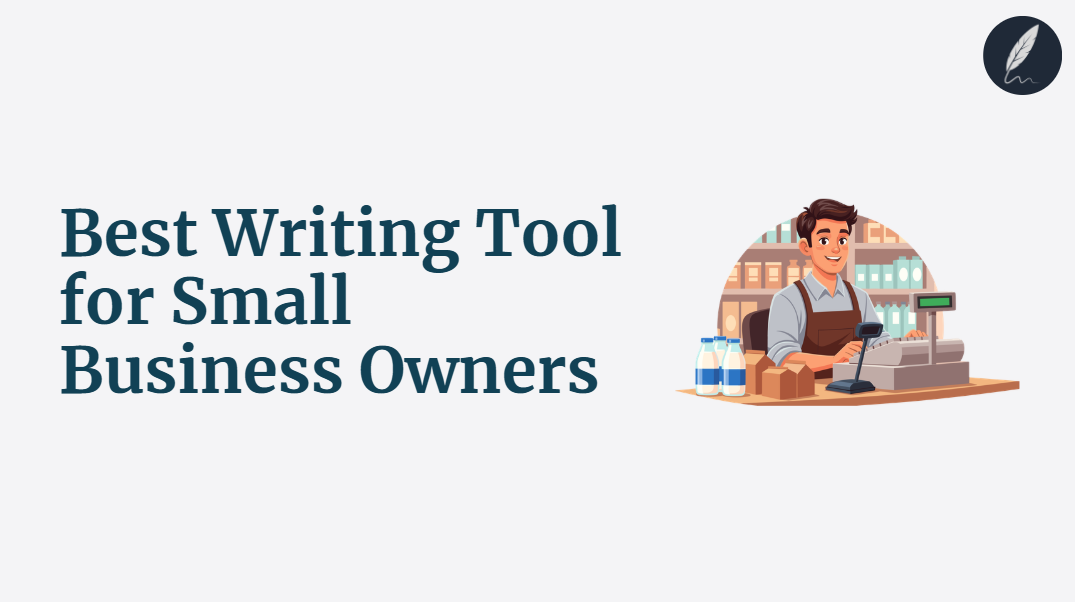
Best writing tool for small business owners is not the one with the longest feature list.
It is the one that helps you write the page, fix the email and tighten the offer before another task steals your attention.
This guide ranks the best options so you can stop bouncing between tabs and start sending cleaner copy faster.
Pick the tool that actually finishes the job.
Key Takeaways
- The Best Tool Handles More Than Drafting: Small business owners need help with rewriting, clarity and trust, not just blank-page output.
- Visible Edits Matter: Customer-facing copy should show every change before it goes live or reaches an inbox.
- Readability Is a Sales Issue: If a page is hard to scan, customers leave before they understand the offer.
- Free Tools Work Best as Diagnostics: Quick checks for tone, clarity and slogans are useful before paying for a full workflow.
- Orwellix Is the Strongest All-in-One Pick: It combines drafting, full-document editing, readability analysis and tracked approvals in one editor.
Struggling with Clarity in your writing?
You're not alone. Many writers face this exact challenge.
Orwellix provides you with advanced writing tools specifically designed to overcome common writing hurdles. Our AI-powered platform helps you craft clearer, more engaging content with less effort.
Start Free TrialWhy Small Business Owners Struggle to Choose the Right Writing Tool
Small business owners rarely write one format all day.
They write a homepage section in the morning, answer a customer email at lunch, tighten an offer in the afternoon and update a product or service page before closing.
That workload punishes narrow tools. A tool that only drafts does not help much when the real problem is a stiff quote email or a page that sounds vague. A tool that only checks grammar still leaves the offer flat.
TechTarget’s professional email etiquette guide notes that 86% of professionals prefer business communication by email. The same article cites survey data showing that 90% of employees say email has caused miscommunication at work.
Nielsen Norman Group found that 79% of users scan new pages instead of reading word for word. If your service page is dense, your customer may never reach the sentence that explains why they should trust you.
The best writing tool for small business owners should remove friction across all of that work. It should not add another specialist tab.
What the Best Writing Tool for Small Business Owners Actually Needs to Do
Before ranking tools, it helps to set criteria that match the real job.
1. Write From Blank and Edit What Already Exists
Some days you need a first draft. Other days you already have copy and need it cleaned up fast.
The strongest tool handles both. If your decision is mostly about AI-first drafting, compare the best AI writing tool for small business owners. This article asks the broader question: which tool helps an owner finish daily writing fast.
2. Handle More Than One Format Without Losing Context
Small business owners do not buy one tool for blog posts and another for customer replies. They need one system that can work across service pages, product descriptions, promotional emails and follow-ups.
If the About page is the immediate problem, the guide on how to write an About Us page that builds trust is a strong companion read.
3. Protect Tone and Trust With Visible Changes
Customer-facing writing cannot be rewritten blindly.
One changed sentence can soften a guarantee, overpromise on timing or make the brand sound colder than intended. That is why tracked changes matter.
If email tone is your most sensitive pain point, read email tone alongside this comparison.
4. Improve Readability, Not Just Grammar
Grammar catches mistakes. Readability catches friction.
Nielsen Norman Group found that concise, scannable and objective writing improved usability by 124% over a promotional control version. That matters for service pages, offers and customer replies because people scan for proof and clarity first.
If clarity is your biggest bottleneck, start with what readability actually measures. If grammar is the main issue, the narrower best grammar checker for small businesses guide is the better comparison.
5. Replace a Stack at a Price a Small Business Can Justify
Most owners do not mind paying for software. They mind paying for four separate tools that still leave them doing manual cleanup.
The best writing tool should collapse the stack. If you want to measure the current mess first, the free Writing Stack Cost Calculator makes it obvious.
The 5 Best Writing Tools for Small Business Owners in 2026 - Tested and Ranked
1. Orwellix: Best Overall Writing Tool for Small Business Owners
What It Does
Orwellix is a full writing editor built for people who need to draft, edit and finish documents in one place.
Agent Mode reads the entire document before touching a word. Then it edits grammar, readability, passive voice, tone and wordiness in one autonomous pass, or writes from blank after researching the live web first.
For a small business owner, a practical command looks like this: “Edit this 1,250-word service page and follow-up email for clarity, keep my voice plain and trustworthy and show every change as tracked edits.”
Every proposed change appears as a tracked edit: old text in red highlight, new text in green highlight, then you approve or reject each edit individually. That matters when you are editing sales claims, pricing language or customer promises.
Ask Mode is the conversational layer. It reads your full document before answering, which makes it useful for questions like “Why does this email sound defensive?” or “Rewrite this offer so it sounds more confident without sounding pushy.”
The live highlight system gives small business owners fast diagnostic feedback while they work:
- Red : Very hard to read - sentences that will lose most readers.
- Yellow : Hard to read - sentences that need shortening or simplification.
- Purple : Grammar issues - errors that undermine credibility.
- Blue : Style issues - passive voice, adverbs and qualifiers.
- Green : Spelling errors.
The advanced readability score goes beyond one grade level. It evaluates Structural Complexity, Lexical Sophistication, Writing Clarity and Text Coherence, which is much more useful when one owner is writing both a service page and a customer email.
Where It Works for Small Business Owners
Consider Lena, who runs a local home-organizing business. She pastes in a 1,250-word service page and a 170-word quote follow-up email. Agent Mode proposes 31 tracked edits, cuts 7 yellow sentences and rewrites 5 passive phrases. She finishes the review in 16 minutes instead of spending nearly an hour moving between ChatGPT, Grammarly and a readability app.
Use the free Readability Checker to test whether a page is too dense, the free Tone Detector to check whether a reply sounds too cold and the free AI Slogan Generator when you are shaping brand language from scratch.
Where It Falls Short
Orwellix works inside its own editor. Owners who only want inline help inside Gmail or Google Docs will need to paste drafts in or move the final review step into Orwellix.
It also assumes you want control. That is a strength, but it means you still review the tracked edits instead of blindly accepting everything.
Pricing
- Pro: $24/month - 120 AI credits/month, 100,000 Grammar characters/month and 10,000 Plagiarism works/month.
- Premium: $39/month - 300 AI credits/month, 300,000 Grammar characters/month and 30,000 Plagiarism works/month.
- Agent Mode: 2 credits per session. Ask Mode: 1 credit per session.
- 7-day free trial, full platform access. Credit card required upfront, but nothing is charged for 7 days. Cancel before day 7 and your account converts to free, no charge. Don’t cancel and your selected plan activates automatically after the trial ends.
2. Grammarly: Best for Inline Grammar Checks in Existing Workflows
What It Does
Grammarly is a browser-based writing assistant that checks spelling, grammar, punctuation and tone across email clients, documents and web apps.
Where It Works for Small Business Owners
Grammarly is useful when you want fast inline correction inside Gmail, Docs or web forms without changing tools.
Where It Falls Short
It is still better at sentence-level cleanup than full-document finishing. It does not give owners the same tracked full-pass editing or deeper readability view that Orwellix does.
If grammar is your only buying reason, use the more focused best grammar checker for small businesses comparison.
Pricing
- Free plan available.
- Grammarly Pro lists $12/member/month billed annually or $30 when billed monthly.
3. ChatGPT: Best for Fast First Drafts and Brainstorming
What It Does
ChatGPT is a conversational AI tool that generates drafts, headline ideas, email replies and quick rewrites from prompts.
Where It Works for Small Business Owners
ChatGPT is useful when you need a rough first version fast for offer ideas, headline variations or a first pass at a sales email.
Where It Falls Short
ChatGPT is not a document-first editor. You still copy text in, copy text out and manage the final cleanup yourself. It also lacks the tracked-edit workflow that makes customer-facing changes safer.
That makes it a good drafting helper, but a weak finishing tool.
Pricing
- Free plan available.
- ChatGPT Plus starts at $20/month.
4. Hemingway Editor Plus: Best for Readability Spot Checks
What It Does
Hemingway Editor Plus highlights hard sentences, passive voice and weak phrasing. The paid version adds AI rewrites, grammar fixes, document review and tone adjustments.
Where It Works for Small Business Owners
Hemingway is useful when your service page or offer feels too dense and you want the problem made obvious fast.
Where It Falls Short
It is still more of a clarity layer than a full writing workflow. It can show friction well, but it does not replace a document-aware editor that can draft and rewrite in context.
If you keep getting flagged for vague copy, the guide to passive voice in business writing explains what to rewrite and what to leave alone.
Pricing
- Hemingway Editor Plus Individual 5K: $8.33/month billed annually at $100/year.
- Hemingway Editor 3 desktop app: $19.99 one-time.
- 14-day free trial available for Hemingway Editor Plus.
5. Jasper: Best for Template-Driven Marketing Drafts
What It Does
Jasper is an AI platform built around marketing-focused drafting, brand voice controls and campaign content workflows.
Where It Works for Small Business Owners
Jasper is useful when a business owner mainly wants template-driven marketing drafts for ads, landing pages and campaign copy.
Where It Falls Short
Jasper is better for marketing output than for the messy everyday writing small businesses do across service updates, follow-ups and customer replies.
It is also expensive for owners who mainly need one clean workflow rather than a marketing platform.
Pricing
- Pro: $69/month billed monthly or $59/month billed yearly.
- Business: custom pricing.
- 7-day free trial available.
Quick Comparison Table
| Tool | Best For | Writes From Blank | Full-Document Editing | Readability Help | Tracked Changes | Starting Price |
|---|---|---|---|---|---|---|
| Orwellix | Full small-business writing workflow in one editor | Yes | Yes | Yes, live 4-dimensional score | Yes | $24/month |
| Grammarly | Inline grammar cleanup | Limited | No | Limited | No | Free / region-specific paid pricing |
| ChatGPT | Fast first drafts and brainstorming | Yes | No | Limited | No | Free / $20 month for Plus |
| Hemingway Editor Plus | Readability diagnosis and rewrites | Limited | Limited | Strong | No | $8.33/month annual |
| Jasper | Marketing-first drafting | Yes | Limited | Limited | No | $59/month annual |
A Real Small-Business Workflow Using Orwellix
Start with the page that matters most. If the business story still feels fuzzy, use the free About Us Page Generator for a rough foundation or the free AI Slogan Generator to pressure-test positioning language.
Then draft in Orwellix or paste the existing copy into the editor.
Next, run Agent Mode with a direct instruction such as: “Tighten this service page for busy homeowners, keep the tone warm and credible, simplify hard sentences and show every change as tracked edits.”
Review the changes in passes. Accept fast clarity fixes first, then slow down on guarantees, pricing language and call-to-action wording. Use Ask Mode for narrow questions such as “Does this email sound too apologetic?” or “Rewrite this offer so it sounds more confident.”
Why Full-Document Context and Tracked Changes Matter When One Person Writes Everything
Small business owners do not edit isolated sentences. They edit promises.
The headline sets the expectation, the About section builds trust and the email follow-up closes hesitation. If each piece is rewritten in a different tool with no shared context, the brand starts sounding like five different people.
That is where full-document context matters. Orwellix reads the whole document before editing, which helps the rewrite respect the tone and logic already on the page. Tracked changes matter because the owner can accept a clearer sentence without accidentally approving a softer guarantee.
This is also why surface fixes are not enough. If your copy still sounds stiff, remove empty phrases with business cliches. If the inbox is the real pain point, tighten the emotional register with email tone.
Where Free Tools Fit Before You Pay for Anything
Free tools are useful when you want a diagnosis before committing to a full platform.
Use the Readability Checker when a page feels heavy, the Tone Detector when a customer reply feels harsher than intended and the Email Response Generator when you need a fast first draft for follow-ups.
If the business message itself is the problem, try the AI Slogan Generator to test positioning and the About Us Page Generator to structure trust-building copy.
Those tools work best as preflight checks, not full workflows.
The Hidden Cost of a Fragmented Writing Stack
The real cost of separate writing tools is not only the monthly bill. Harvard Business Review’s research on toggling between applications makes the point clearly: context switching drains time and energy from digital work.
The math gets ugly fast. A common small-business stack might include ChatGPT Plus at $20/month, Hemingway Editor Plus at $8.33/month annual pricing and a paid grammar tool on top. Add Jasper and the total jumps again.
That is why the best writing tool for small business owners is rarely the one with the most separate features. It is the one that reduces the steps between “rough” and “ready.”
Which Tool Fits Which Small Business Owner
Choose Grammarly for quick inline grammar help, ChatGPT for first drafts, Hemingway for readability checks and Jasper for template-driven marketing copy.
Choose Orwellix if you want one editor that can draft, edit, explain changes and keep you in control across pages, emails and offers.

Write smarter with Orwellix
The Orwellix AI Capabilities that helps you craft clearer, more effective content.
Conclusion
Small business owners do not need more words. They need clearer pages, safer edits and faster customer-ready copy.
ChatGPT can help start a draft, Grammarly can catch surface mistakes and Hemingway can show where the writing feels heavy. But each one still leaves part of the real job unfinished. Jasper adds more marketing power, but for many owners it adds cost without solving the full daily writing loop.
Orwellix wins because it handles the whole workflow in one place: drafting from blank, editing with full-document context, diagnosing readability live and showing every change as a tracked edit you can approve or reject. That is what a small business owner actually needs when one person is writing the page, the email and the offer.
Start your 7-day Orwellix trial, credit card required, no charge for 7 days. Cancel before day 7 and your account converts to free. Don’t cancel and your plan activates automatically. A 10-day money-back guarantee applies to all paid plans.
The right writing tool should help your business sound sharper the same day you start using it.
Frequently Asked Questions (FAQs)
1. What is the best writing tool for small business owners overall?
Orwellix is the best overall choice if you want one tool to handle drafting, editing and final approval in the same place. It is built for the real small-business workflow where one person may write a service page, a customer follow-up and an offer in the same afternoon. The full-document context and tracked edits make it safer than tools that only draft or only flag mistakes.
2. Is Orwellix better than Grammarly for small businesses?
Orwellix is better if you need a full writing workflow. Grammarly is still useful for quick inline corrections, but it is weaker when you need readability help, tone control and visible tracked edits across a whole document.
Grammarly is the lighter choice for short replies. Orwellix is stronger for customer-facing pages and high-stakes emails.
3. How do Agent Mode and Ask Mode help a small business owner differently?
Agent Mode is the faster choice when you want the tool to do the work in one autonomous pass, such as cleaning a service page or rewriting a quote follow-up.
Ask Mode is better when you want targeted help, such as checking whether an email sounds too cold or asking why a sentence was changed. Agent Mode costs 2 credits per session and Ask Mode costs 1 credit per session.
4. Should a small business owner use ChatGPT or Jasper instead?
Use ChatGPT if you mainly need ideas and rough first drafts. Use Jasper if your work is mostly marketing copy and you want a more campaign-focused system.
Neither is as strong as Orwellix at the finishing stage because neither gives you the same tracked full-document editing workflow.
5. Can free writing tools replace a paid writing platform?
Free tools can handle diagnosis well, but they rarely replace the whole workflow. A free readability or tone check can show where the problem is, which is why tools like the Readability Checker and Tone Detector are useful.
Once you need drafting, full-document editing and approval in one place, a paid platform becomes the practical choice.
Try Orwellix Free for 7 Days
Experience Orwellix AI Agent's capabilites with risk-free trial. Full access to all features for 7 days. Credit card required to start, you won't be charged until the trial ends.
Start Your Free Trial